
Best AI platforms for image and video creation
Compare AI image and video platforms by canvas structure, references, model choice, review, handoff, and supported creative jobs.
 Owen HartCreative Tools Editor
The best platform depends on the content job. A creator who needs one polished product clip has a different requirement from a team that needs reusable references, image branches, video shots, and a visible review history. Infiknit is built around a connected canvas for those decisions. Compare platforms by the work that survives the first generation, not only by model count or demo quality.
AI media creation platform, AI image video audio platform, and visual content canvas share this page because the decision is which project surface fits the actual creative job.
Short answer: Compare platforms with one fixed brief, source pack, format, and acceptance checklist. Score time to first candidate, identity control, image and video support, reference reuse, branch revision, failure evidence, handoff, provider choice, and total cost. Run several candidates. A platform is a strong fit when a teammate can understand the accepted result and change one decision without rebuilding the project. Choose by repeatable job, not a universal ranking.
Answer in practice: best AI platform for image and video creation is a decision system for a visual direction tested across several generation models. Start by stating what the viewer must recognize, then separate stable identity from the variables you are allowed to change. Put the source, instruction, reference, and intended output on named canvas nodes so another person can inspect the chain. Choose a provider only after checking its input type, limits, duration, resolution, and authentication. Generate a small first candidate, review it at full size, and preserve the accepted branch instead of overwriting evidence. If the result drifts, repair the earliest uncertain input rather than hiding the problem in a longer prompt. If the result is sound, save the reference, settings, output, and dependency path for reuse. This keeps best AI platform for image and video creation grounded in observable work. Use three review questions: what changed, what stayed fixed, and what can be reproduced. They are more useful than a promise of one-click perfection.
What platform comparison solves
Platform comparison prevents a feature list from replacing a real test. The relevant question is whether the platform preserves the source, instruction, references, accepted outputs, and handoff decisions your team needs.
A fair platform test
Use one product reference and produce a still, a short demonstration, and a social variation. Record setup, provider choice, review time, failures, and reuse. Repeat the test in each platform. Keep the same acceptance checklist. The result should show which operating model suits the team.
For a platform pilot, split the scorecard into identity controls and presentation controls. Identity covers product geometry, character traits, and readable text; presentation covers framing, background, motion, crop, and pacing. Holding those columns apart shows whether a platform failed the source or simply chose a weak visual direction.
Build the smallest useful node graph
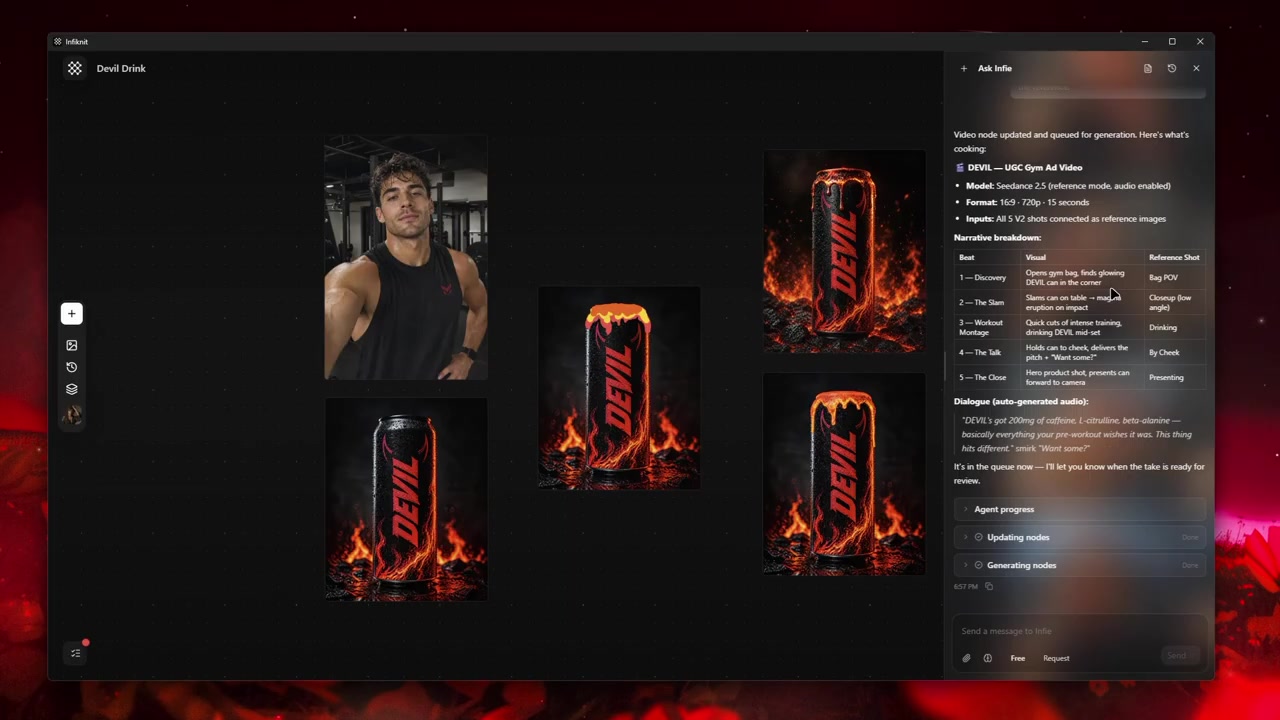
Start with five visible responsibilities: brief, source, reference, candidate, and review. One node should hold the instruction, one the strongest source, one the reusable constraint, one the generated result, and one the decision that either accepts the branch or sends it back for a focused change. A small graph with clear names is easier to inspect than a large graph with unlabeled branches.
1. Brief and source
Write the viewer outcome and hard requirement in the brief. Keep the source image, clip, product, or character beside it rather than burying the only evidence in a prompt. The reviewer should be able to tell which facts came from the source and which are creative choices.
2. Reusable reference
Create a Style, Character, Product, or Background reference only when it has a defined job. Name it after that job, connect it to the candidate, and record the trait it is meant to preserve. A reference that cannot be checked at full size is not a reliable review control.
3. Candidate and provider
Keep the provider and model choice on the candidate branch. Check its accepted input type, reference limits, duration, resolution, and authentication before queuing. If two providers support the same brief, make separate branches so their outputs and failures remain comparable.
4. Review and handoff
Put the acceptance condition beside the output. Record what passed, what failed, and which single change should happen next. Preserve the accepted branch and its sources so another editor can reuse it without reconstructing the project from an export folder.
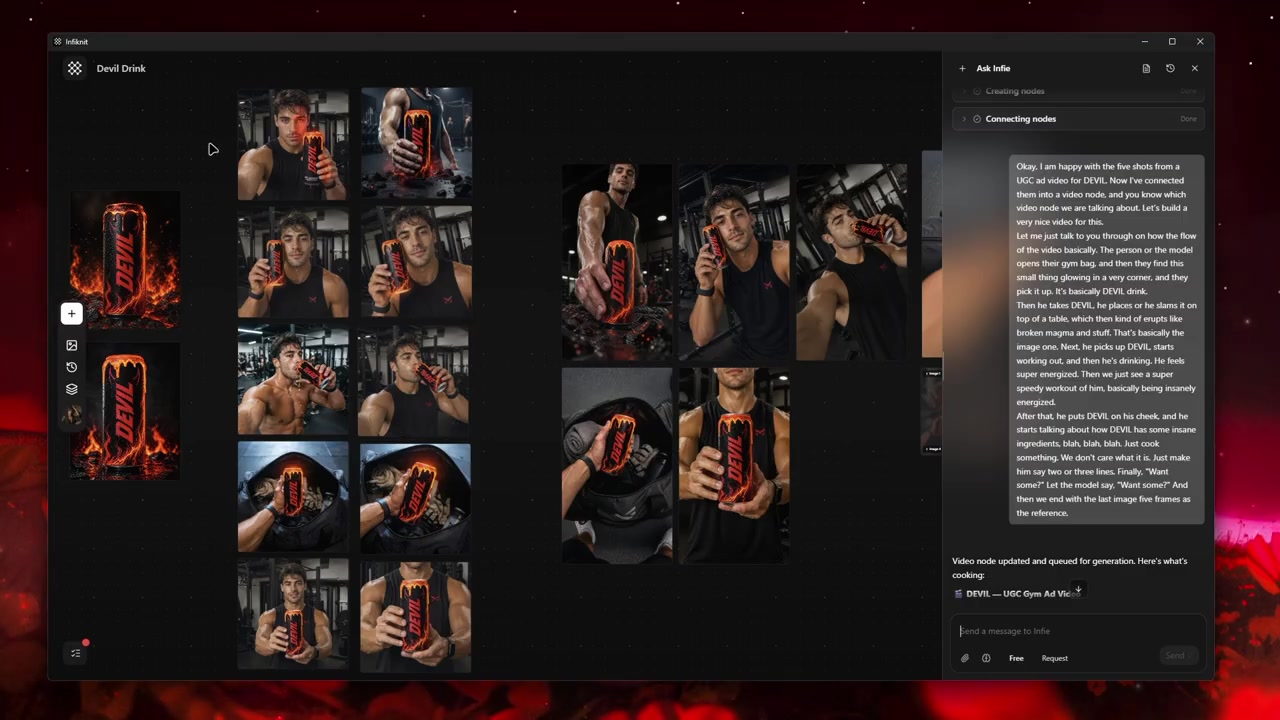
Decisions to record before generation
| Decision | Review question | Canvas evidence |
|---|---|---|
| Brief and source | What must remain true? | The viewer outcome, hard requirement, and source evidence. |
| Reusable reference | What trait must remain stable? | A named Style, Character, Product, or Background reference. |
| Candidate and provider | What route is being tested? | Model, input type, settings, output, and any failure. |
| Review and handoff | Why did this branch pass? | Acceptance note, accepted output, and reusable source path. |
Treat capability fit as a scored test. For every platform, record whether the route accepts the same source pack, image or video input, aspect ratio, duration, and reference count. If a platform needs a different brief to produce a candidate, mark that as a product difference instead of quietly changing the test.
Worked example
For a fair platform pilot, state one viewer outcome and one hard requirement, then use the same source and crop on each platform. Start with the least complex branch that exposes the requirement. If identity fails, log an input or model issue; if identity passes but the composition fails, log a presentation issue. That distinction makes the final score explainable.
Keep one accepted and one informative failed branch for each platform. The accepted branch should retain its source, model, settings, review time, and handoff result; the failed branch should explain a concrete boundary such as “reference count rejected” or “label changed in video.” Compare each image at full size and each clip at its delivery crop before scoring the platform.
Quality-control checklist
- Freeze the brief, source pack, destination format, and acceptance rubric.
- Run the same still, motion, and handoff jobs on every candidate platform.
- Record setup time, provider/model, input support, retries, and review minutes.
- Score identity, composition, text, motion, branch revision, and export separately.
- Keep the first accepted output and the clearest failure with their source context.
- Test whether a teammate can find the input and change one decision.
- Separate provider cost from operator time and repair time.
- Record which platform-specific capability changed the result.
- Choose the platform only after the repeat test, not after a single demo.
For video comparisons, record duration, aspect ratio, resolution, and frame rate when exposed; for image comparisons, record crop and reference count. Those settings make the score reproducible.
Failure modes and honest limits
Lost context: return to the last verified node and inspect its source, settings, and accepted branch. Rerun only the uncertain path instead of rebuilding the whole project.
Unsupported provider input: check the model's input type, reference count, duration, and resolution before queuing. Keep the failed branch so the limitation is visible to the next reviewer.
Identity or product drift: repair the earliest unclear source or reference before adding more prompt text. A longer instruction cannot restore evidence that the input never contained.
Weak creative direction: turn the reviewer’s note into one concrete change—crop, reference, motion, or copy—and test that change on a new branch. Keep human approval as the final gate.
How Infiknit supports the method
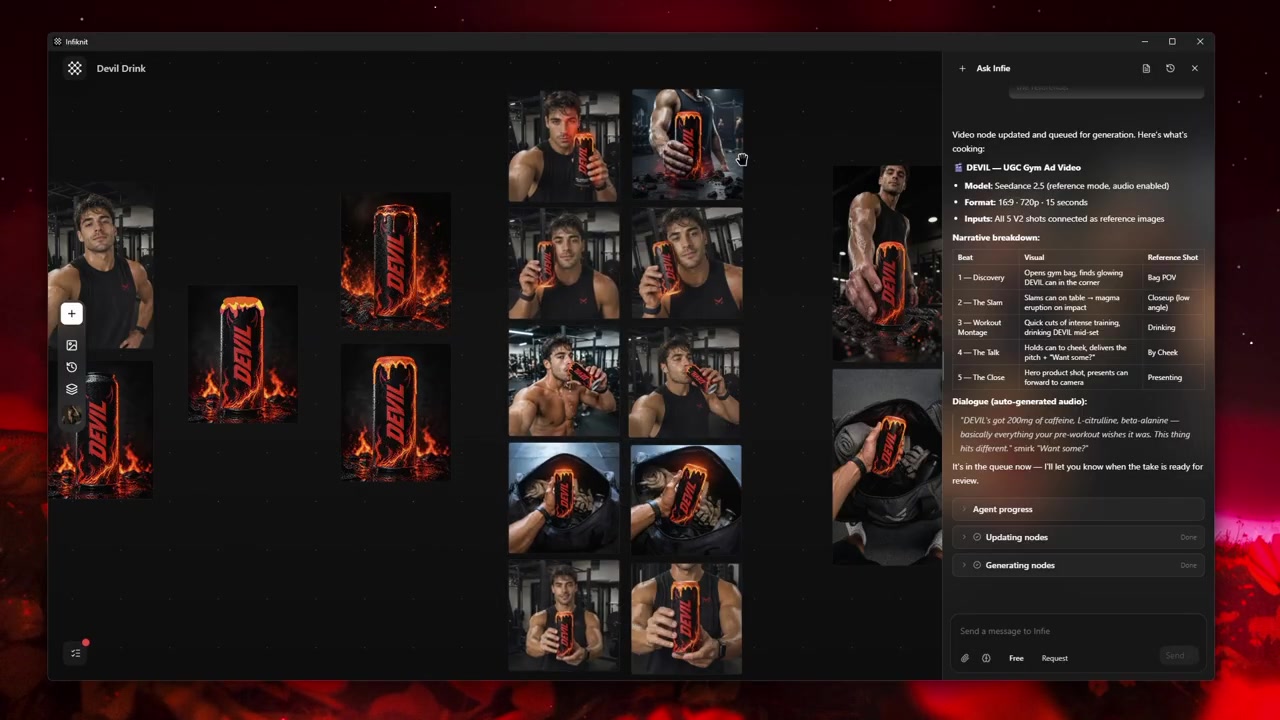
Infiknit keeps working evidence for best AI platform for image and video creation in the canvas. Workflows preserve nodes, groups, viewport state, titles, and durable media references. Generated or uploaded media can become downstream inputs. Style, Character, Product, and Background assets can return as reference nodes. Eligible Image, Video, and Video Trim nodes can run directly or through a dependency graph.
The internal agent can preserve the brief, source, reference roles, candidate branches, and supported image or video queues through validated canvas tools. It can expose the dependency and failure evidence, but it cannot directly edit pixels, decide which platform wins, or replace human review of identity, claims, and delivery fit. Keep those observations in the comparison record.
FAQ
How should I compare image and video platforms fairly?
For a platform test, the smallest useful graph is brief → source/reference → candidate → review → handoff. Add a branch for a second model or provider only when the brief and acceptance rubric stay fixed. A visually larger graph is not evidence of a stronger platform; inspectability and recovery are.
What evidence should a platform comparison collect?
Use one fixed brief and source pack, then record time to candidate, failures, revisions, reference handling, export, provider choice, and total cost. A useful comparison shows the accepted and rejected results, not just a feature list.
When is a platform a strong fit?
It is a strong fit when a teammate can inspect the accepted result, understand the inputs and settings, and change one decision without rebuilding the project. Choose by the repeatable job you tested rather than by a universal ranking.