
Create images, video, and audio in one AI studio
Keep Infiknit images, video, audio, references, and review decisions together in one creative canvas for connected production.
 Owen HartCreative Tools Editor
An AI studio becomes useful when the creative record survives the handoff from an image to a video, a voice note, or a final social cut. Infiknit keeps those objects on one canvas. A prompt can sit beside its reference image, the accepted still can feed a video shot, and a trim can remain connected to the brief that made it worth keeping. The point is not to hide the provider or promise an automatic campaign. The point is to make the creative decision visible enough to inspect and change.
Related searches such as multimodal AI creative workspace and AI canvas for content creation belong here because they describe the same job: moving between media types without losing source context. A separate page needs a different audience problem or evidence set, not another list of model names.
Short answer: Start a multimodal project with one viewer outcome, then keep the brief, source reference, image candidate, video shot, audio idea, and review note connected on the Infiknit canvas. Use one branch to test one major change. Check provider input type, duration, resolution, and reference limits before running the next node. Approve the still before using it as a video source. Review the video muted, then listen to the voice or music separately. Keep the accepted branch and the reason it passed; keep failed branches only when they explain a useful boundary. The canvas is a record of decisions, not a guarantee that a model will preserve every label, hand, voice, or product detail. Human review remains responsible for accuracy, permissions, claims, and publishing.
Answer in practice: Treat the canvas as a small production room. Put the audience promise in a Text node. Add the strongest source image or clip as its own object. Generate a still that proves the visual idea before you add motion. If the still passes, connect it to a Video node with a short, observable action. Add an Audio idea only after the visual timing is known. Name each branch by the decision it tests: “wide product frame,” “hand opens lid,” or “voice explains setup.” That naming makes review faster than a generic file name. When a candidate fails, repair the source, action, or wording that caused the failure. Do not add more adjectives simply because the first result drifted.
What one multimodal canvas solves
The problem is not a lack of generation buttons. It is the gap between decisions. A product image may be approved by one person, animated by another, and paired with a voice line by a third. If each handoff is a flattened export, the team cannot tell which source was approved or why the final shot changed. Keep the source, instruction, output, and review note together so the next person can see the decision rather than reconstruct it from memory.
A simple image-to-video-to-audio sequence
Begin with a one-sentence brief: “Show the reusable bottle being opened on a small desk, then explain the lid in a calm voice.” Add the product image and mark the facts that cannot change: lid shape, material, logo position, and the action the viewer must see. Create two still candidates with different framing. Approve one at full size. Only then ask for motion. The video instruction should name the movement, camera distance, and end state. “Hand lifts the lid, pauses, and places it beside the bottle” is reviewable. “Make it cinematic” is not.
When the shot is stable, place the audio idea beside it. Decide whether the audio is narration, a sound effect, or music. Keep the spoken claim no stronger than the visible evidence. If the video only shows the lid opening, the voice should not claim that the bottle keeps a drink cold for twelve hours unless that fact is separately approved. Export a short candidate, review it muted, then listen to the audio with captions. The final branch should contain the accepted source, the settings that mattered, and a note explaining why it passed.
For a multimodal handoff, identity is the visual or factual anchor that must survive each medium: the product shape, character, framing, or spoken claim. Presentation is the medium-specific choice: a still crop, a camera move, a voice tone, or a caption-safe area. Write those separately because an image can pass while the corresponding video or voice introduces a new error.
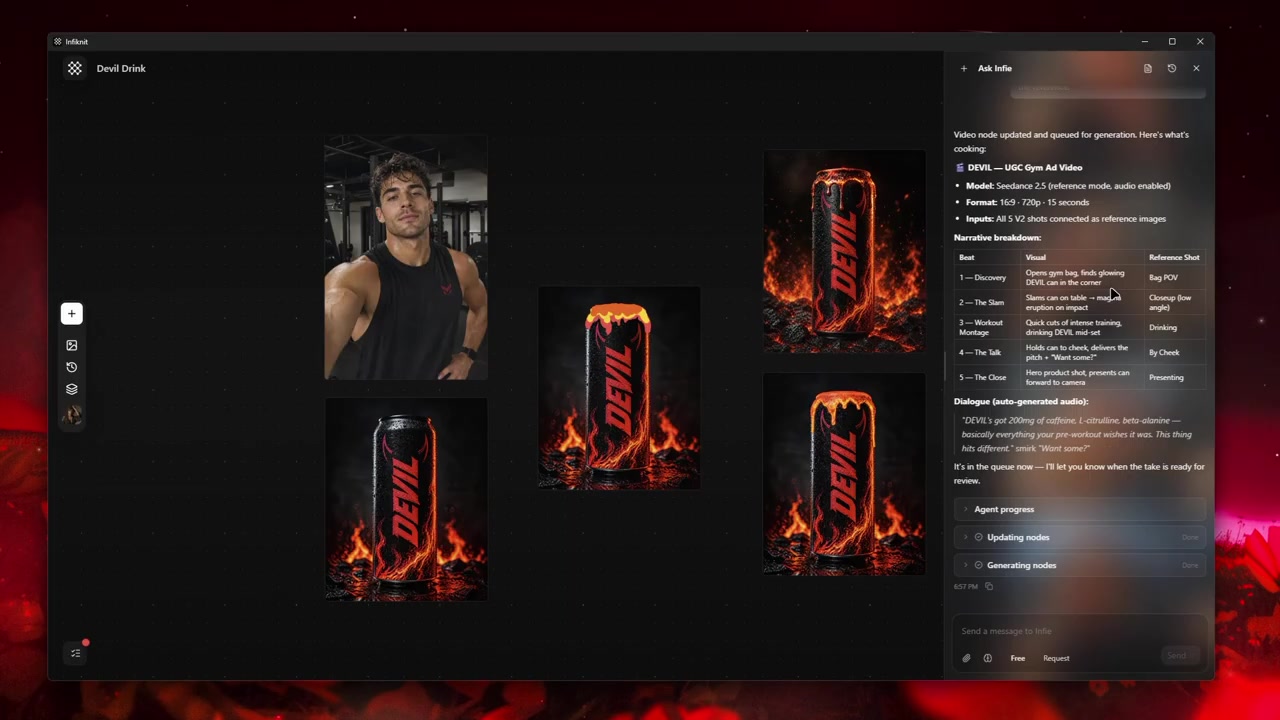
Build the smallest useful node graph
Use a handoff chain with explicit review gates rather than one giant graph.
1. Brief Text node: define the viewer promise
Write one sentence describing what the viewer should see and hear. Keep factual claims in a separate note so the visual and spoken outputs can be checked against the same source.
2. Source Product/Image node: establish identity
Attach the product or character image that proves the subject. Name the details that must remain fixed and approve the still before adding motion.
3. Video node: test one observable action
Connect the approved still and describe a start state, movement, and end state. Check model input type, duration, ratio, and reference limits before queueing. Keep the clip on a branch named for the action.
4. Audio node: add speech or sound after motion
Choose narration, music, or an effect and state its timing. Keep the audio idea beside the accepted video rather than burying it in the initial prompt. Review the words independently from the image.
5. Approval node/branch: record the handoff
Save the accepted still, clip, audio, captions, settings, and review notes together. A later editor should see which visual source and wording produced the final combination.
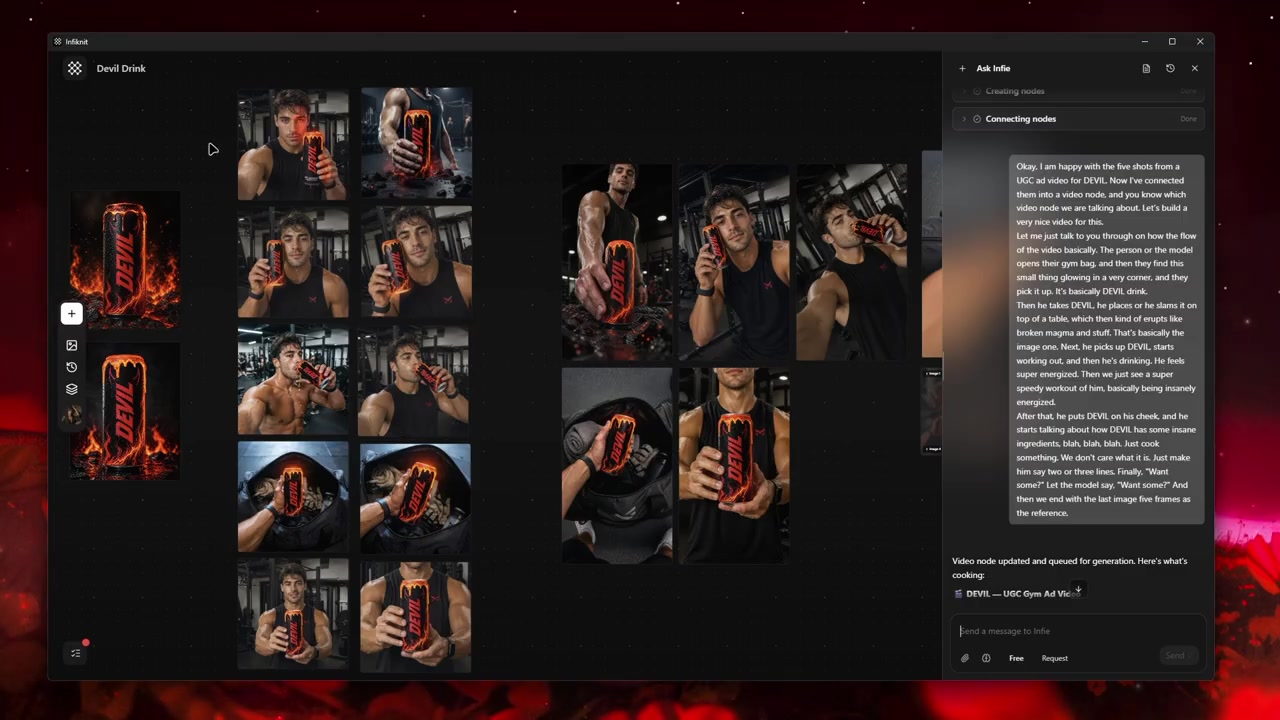
Decisions to record before generation
| Decision | Review question | Canvas evidence |
|---|---|---|
| Viewer promise | What should the audience see and hear? | Brief Text node and approved facts. |
| Identity source | Which product, person, or composition must survive? | Product/Image source with identity checks. |
| Motion gate | Does the clip show the intended action without drift? | Video branch reviewed muted. |
| Audio gate | Do narration, music, and captions fit the clip and claim? | Audio branch with transcript/caption check. |
| Handoff | Can another creator trace every accepted input? | Linked branches, settings, and approval note. |
Provider capability is a handoff constraint. The image route, video route, and audio route can expose different input types, duration limits, or reference counts. Check each selected node before running it and record the route beside the output; the canvas should show where a limitation entered the project.
Worked example
Use a reusable-bottle demo as the handoff test. Write “show the lid opening on a desk, then explain the opening step.” Approve the still for bottle shape, label, and crop-safe space. Generate a short clip with one hand action and review it muted for identity and continuity. Add a short narration that describes only the visible opening step, then check captions against the words. If the clip changes the label, repair the image branch before touching audio. If the voice makes a claim the source does not support, rewrite the line and keep the accepted video.
Keep rejected branches when they reveal a real boundary, such as a model needing a different input mode or a crop that hides the hand. Connect only accepted assets to the final handoff. The canvas is valuable because the image, video, and audio decisions remain inspectable; it is not a promise that one provider will produce all three perfectly.
Review in three passes: still at full size, video muted, then audio with captions. Record the reason each pass succeeded before exporting.
Quality-control checklist
- Write the desired outcome in plain language.
- Keep the original source beside every derivative.
- Name nodes by responsibility rather than automatic ID.
- Change one major variable at a time.
- Verify model support for every connected input.
- Review product, character, text, and brand details at full size.
- Save references only after human approval.
- Record which candidate was accepted and why.
- Keep failed outputs when they explain a boundary.
- Save a Blueprint only after the graph works.
Record measurable settings such as 1080p resolution or 24 fps when the media type supports them.
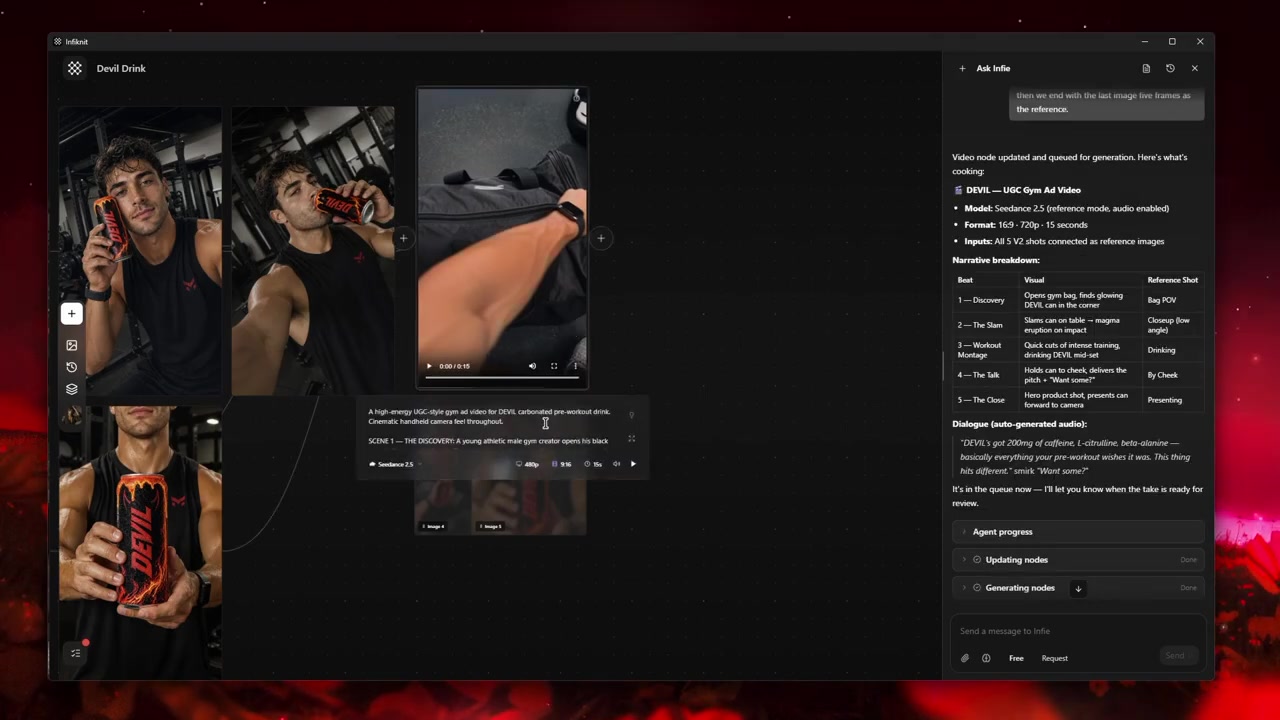
Failure modes and honest limits
Identity drift: A video can change a product or character that looked correct in the still. Recheck the source and shorten or simplify the motion branch.
Provider mismatch: Input type, reference count, duration, and resolution vary by route. Make the unsupported combination visible and choose a supported branch.
Audio mismatch: Voice, music, and effects need separate review. Captions can expose a spoken claim that the image does not prove.
Handoff loss: A flattened export hides why an asset passed. Keep source, settings, accepted output, and review note connected on the canvas.
How Infiknit supports the method
Infiknit keeps working evidence for AI content studio for images and video in the canvas. Projects preserve nodes, groups, viewport state, titles, and durable media references. Generated or uploaded media can become downstream inputs. Style, Character, Product, and Background assets can return as reference nodes. Eligible Image, Video, and Video Trim nodes can run directly or through a dependency graph.
For a multimodal project, the agent can organize the brief, source, image, video, and eligible downstream branches through validated canvas tools. It cannot directly edit pixels, operate Audio or Audio Trim nodes, or approve the spoken claim for you. Keep each media review visible so the image-to-video-to-audio handoff remains inspectable.
FAQ
How many nodes should AI content studio for images and video use?
Use a brief, approved source, one video action, and one audio review branch as the starting graph. Add branches only for a different shot or sound decision; keeping the chain short makes the image-to-video-to-audio handoff easy to inspect.
In what order should image, video, and audio be reviewed?
Approve the still and its product or identity details first. Review the video muted for motion and continuity, then assess voice, music, effects, and captions separately. A multimodal canvas keeps those decisions connected without treating them as one automatic pass.
What should be saved for a multimodal handoff?
Keep the approved still, shot and audio inputs, provider settings, trims, accepted outputs, captions, and review notes. The next contributor should be able to identify which source and decision produced each asset.