
AI content creation for images and video
Create AI images and videos in Infiknit with connected references, reviewable branches, and reusable creative decisions.
 Owen HartCreative Tools Editor
AI content creation becomes useful when the idea, source material, generated media, and review decision stay connected. A prompt box can produce a single image, but it does not show which reference shaped the result, which version was approved, or how the image should become a video. A visual canvas gives those decisions a shared place.
Infiknit is an AI content creation canvas for connected prompts, images, videos, audio, references, and reusable creative assets. The canvas is not a magic button that replaces direction. It gives a creator a visible project where each input and output can be inspected, changed, and reused deliberately.
What should an AI content canvas contain?
A useful project starts with five pieces: a brief, a source, a generation instruction, a review condition, and an accepted output. The brief names the viewer and the intended result. The source is the image, clip, product, character, style, or background that must influence the result. The instruction describes the change. The review condition says what must be true before the output is useful. The accepted output becomes the source for the next decision.
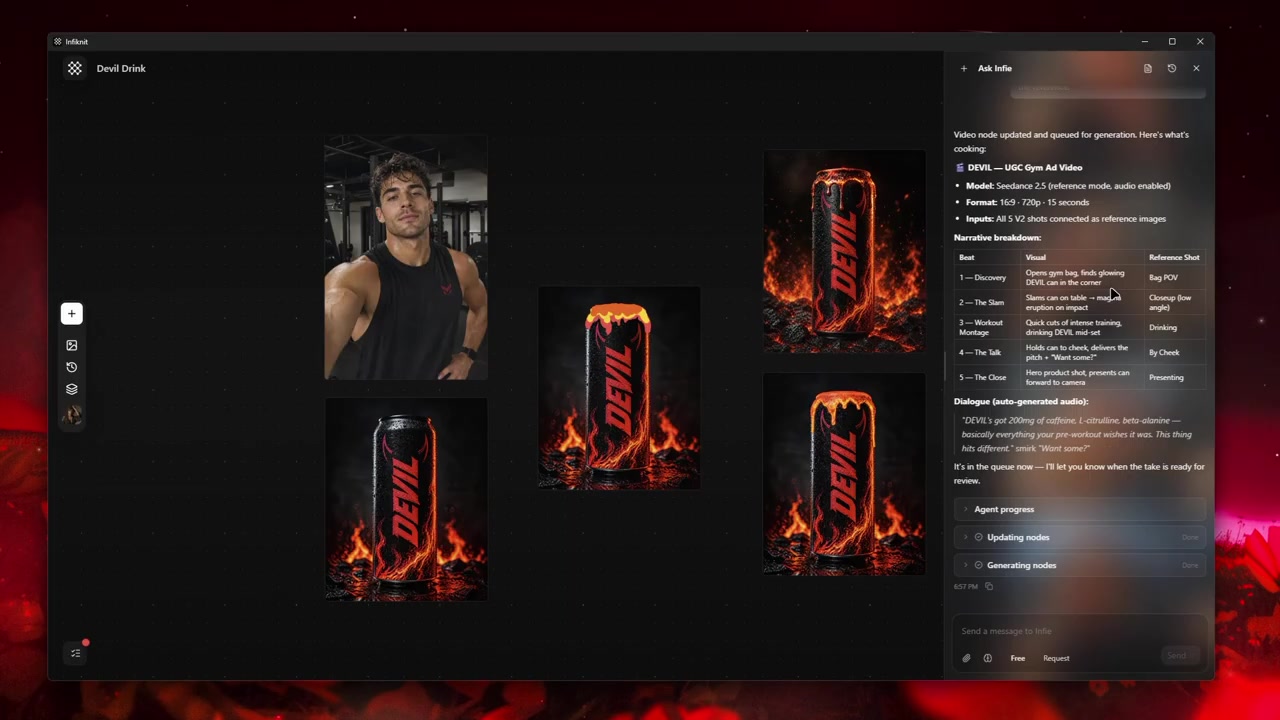
Keep those pieces separate. If a source image is hidden inside a long prompt, another creator cannot tell whether a change came from the source or the wording. If the review condition is missing, a polished thumbnail can become the default even when the product, character, or message is wrong.
Start with one viewer outcome
Choose the outcome before choosing a model. “Create a product image” is too broad. “Show the product’s one-handed opening on a kitchen counter” gives the project a visible action. “Create a short video that turns one approved still into a moving product demonstration” defines the source, motion, and format.
Write the outcome in one sentence and keep it beside the first reference. Then list what must remain stable. For a product, that may be shape, label, color, and controls. For a character, it may be face, hair, wardrobe, and age. For a brand style, it may be palette, lighting, and typography. Everything else can become a controlled creative variable.
Use references as decisions, not decoration
An image reference should have a job. A product image can establish geometry. A character reference can preserve identity. A style reference can guide lighting and surface treatment. A background reference can define the setting. Name each reference by that job so the reviewer knows why it is connected.
When a generation drifts, inspect the earliest uncertain reference. Do not immediately add more references or write a longer prompt. More inputs can hide the cause of the problem. If a label is not readable in the source, choose a clearer source. If a character has only one ambiguous angle, add a view that proves the identity trait the scene needs.
Build the first image branch
For an image, keep the initial branch small: instruction, source, image result, and review note. Generate a candidate that tests the hardest visual requirement first. If the product must keep a hinge or a small logo, make that the first review. If the scene must preserve a character, check identity before judging the background.
Create variations by changing one major variable. Try a different camera distance while keeping the source and action fixed. Then try a new setting while keeping the accepted framing. One-variable branches are easier to compare and easier to reuse in another project.
Turn an accepted still into video
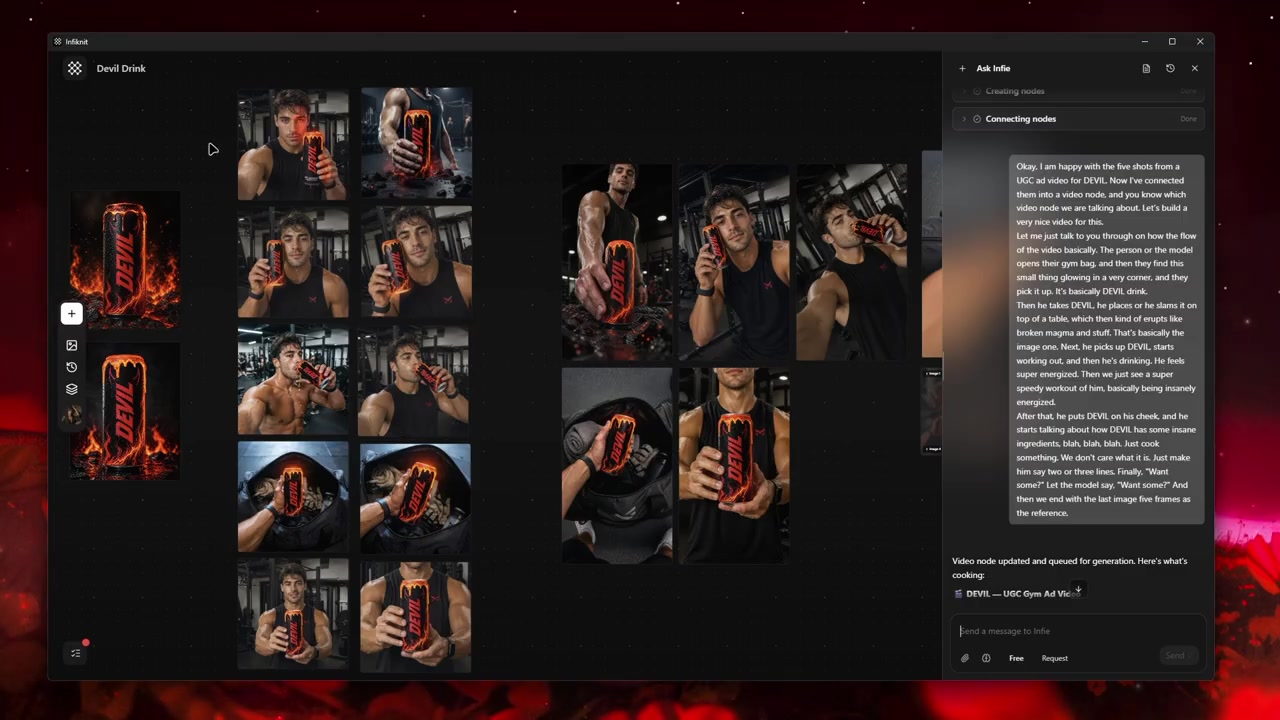
Video needs a motion decision as well as a visual reference. State what moves, what stays fixed, and where the shot ends. A short turn, open, lift, or point is easier to review than a vague request for cinematic motion. Start with a brief candidate, inspect the product or character through the movement, and extend only after the source moment passes.
If a continuation is needed, connect it to the accepted video or its approved frame. Do not extend an uncertain shot and hope the defect becomes less visible. A clean cut between two stable moments can be better than one long generation that changes the subject halfway through.
Review content without sound and with sound
Watch a video once muted. The viewer should still understand the subject, action, and product or character. Then listen to the voice, music, or sound effect separately. Audio can add pacing and meaning, but it should not introduce a claim the visual cannot support.
Review captions at the smallest realistic size. Keep the important phrase readable, give it enough time, and check that line breaks do not change the meaning. A creator-style clip can feel informal while still needing careful editorial review.
Use the canvas for content creation, not storage
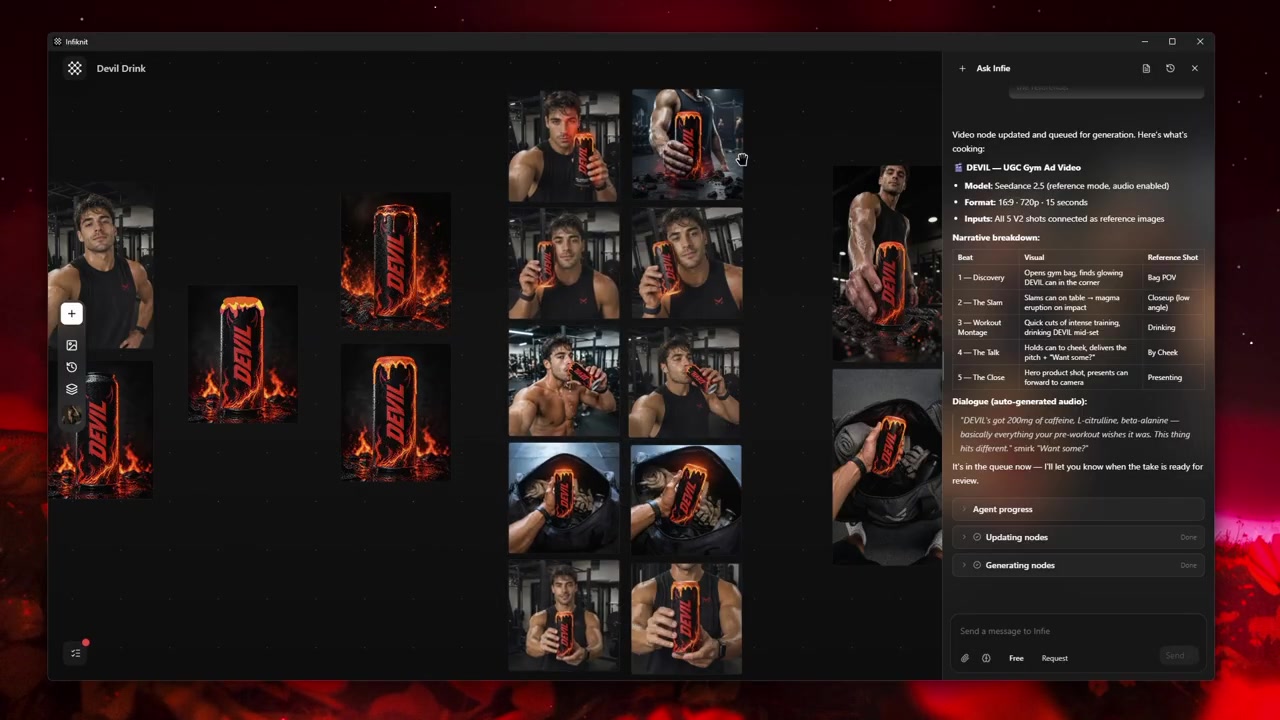
The project should explain why each asset exists. A still can be a reference for a video, a video can supply a frame for a new image, and an accepted product view can anchor several UGC directions. Connect those relationships instead of exporting everything into an unexplained folder.
When a project is reused, copy the source brief and accepted references first. Then choose a new viewer outcome. Reuse should preserve evidence, not lock every future asset to the original composition. A product can move from a catalog image to a creator-style demo without becoming a different product.
Practical review questions
- What must the viewer recognize first?
- Which reference proves that identity or feature?
- What is allowed to change?
- Does the first candidate test the hardest requirement?
- Can the product, character, or brand detail be checked at full size?
- Does the spoken or written message match the visible evidence?
- Which candidate was accepted, and why?
- What source and settings should be reused next time?
These questions keep the creator in control of the project. The canvas makes the evidence visible; it does not make creative judgment disappear.
A useful platform should also make it easy to return to a decision. If an editor needs to update a crop, swap a reference, or create a second length, they should be able to find the original input and the accepted version without reconstructing the project from exported files. That is the difference between a collection of AI tools and a working creative system: the context around the asset remains available when the next piece of content needs to be made.
Treat this return path as part of the creative brief. Name the master reference, the approved branch, and the intended output so a teammate can make a focused change without disturbing work that already passed review.
A practical content review pass
Before publishing, make a review copy of the accepted branch and check it in the format where it will actually appear. A vertical clip can feel clear on a large desktop preview and become unreadable in a phone feed. A product still can look accurate in a square crop while losing the control or label that makes the product identifiable. Export the intended aspect ratio, then inspect the first frame, the middle action, and the final frame at normal viewing size.
For creator-style content, separate the hook from the proof. The hook earns attention with a question, a surprising movement, or a close view. The proof shows the product, feature, or result in a way a viewer can verify. Keep those moments as separate notes on the canvas. If the hook is strong but the proof is missing, revise the shot rather than adding a louder caption. If the proof is clear but the opening is slow, test a shorter first shot while keeping the accepted product reference.
Keep a small content record beside the export: the accepted source, the instruction that changed it, the model and settings, the review date, and the person who approved the claim. This is useful when a campaign needs another ratio or language. It also prevents a later editor from treating an unreviewed variation as the approved master. The record can be brief; it only needs to make the decision path understandable.
When a result is not usable, label the reason precisely. “Product shape drifted,” “caption is unreadable,” and “motion changes the subject” point to different repairs. Avoid a generic “bad generation” note. A precise failure note helps the next branch start with a better reference or a narrower action. It also keeps the canvas from filling with repeated attempts that no one can compare.
What Infiknit can and cannot promise
Infiknit supports a connected workspace for image, video, audio, text, and reusable reference work. Provider controls differ by model and availability. Some inputs accept images, some accept video, and some have limits on duration, resolution, or reference count. Check the current capability surface before committing a production branch.
The canvas does not guarantee that a generated product will keep every small marking, that a character will never drift, or that a video will complete successfully. Human review remains necessary for product claims, likeness, brand details, captions, permissions, and commercial use. Those limits are part of a reliable content system, not a reason to hide the source of a result.