
Control first and last frames in AI video
Use first and last frame references in Infiknit to control video movement, continuity, and extension decisions before final export.
 Luca MarinAI Video Editor
First and last frames describe the contract of a shot. The first frame establishes where the subject begins. The last frame establishes where the movement should resolve. Infiknit keeps those references, the motion brief, the candidate clip, and the review decision connected on a canvas so a creator can judge whether the shot travelled between the two states coherently.
Start and end frame video, AI shot continuity, and first-frame/last-frame references share this page because they describe the same continuity decision.
Short answer: Choose a clear first frame and a believable end frame. Describe only the movement that connects them. Keep both references beside the motion brief and candidate clip on the Infiknit canvas. Review the subject at the beginning, middle, and end. Check identity, product geometry, hand position, camera direction, and caption space. If the clip jumps or changes the subject, simplify the movement or revise the reference. Approve the transition before adding sound or continuing the scene. Two stable endpoints help a shot; they do not guarantee every intermediate frame.
What makes first and last frames useful?
Answer in practice: Choose endpoints that are close enough for the model to connect but different enough to show one intended action. A product may begin closed and end open; a character may begin turned away and end facing camera. Keep camera direction, lighting, and subject scale simple in the first test. Write what must remain fixed and what may change before generating. Review the first frame, a middle frame, and the last frame at delivery size. If the endpoints are accurate but the middle invents an object, changes a label, or loses the subject, shorten the shot or split it at a clean cut. Save the accepted endpoints with the candidate clip and motion brief. They are evidence for a later continuation, not a promise that every intermediate frame will be stable.
What endpoint control solves
Endpoint control makes a shot’s intended change visible. Without it, a motion prompt can produce a pleasant but directionless clip. With it, the reviewer can ask whether the subject reached the promised state and whether the path between states stayed credible.
Endpoint review
Check the first frame, the point of maximum movement, and the final frame. Compare the subject against both references. Check the final crop for captions. If the endpoint is accurate but the movement is not, reduce duration or simplify the action. Keep the failed candidate when it exposes a continuity limit.
Endpoint control works when the two references have different jobs. The first frame says where the shot begins; the last says what the viewer must see when it resolves. Keep subject identity, product geometry, and screen direction fixed in both. Let the brief specify only the movement between them. If the endpoints disagree about scale or light, fix the references before asking a model to invent the transition.
Build the smallest useful node graph
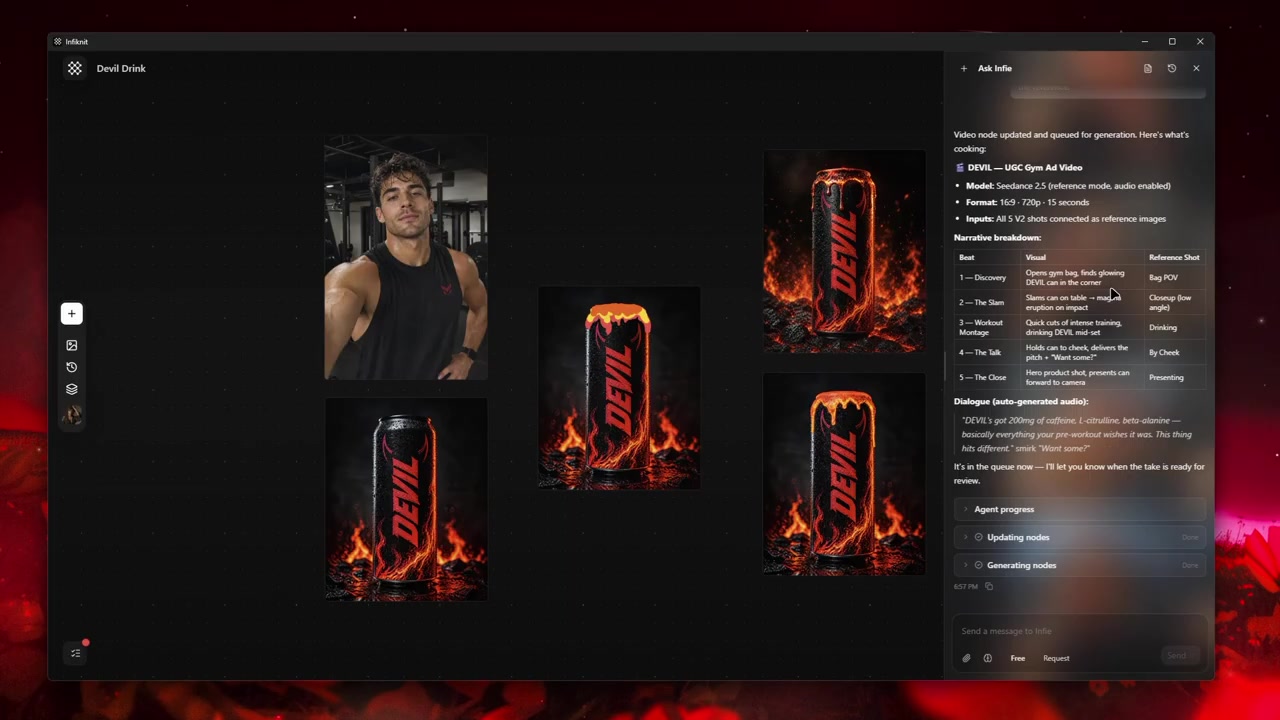
Use five named responsibilities: first frame, last frame, motion brief, candidate clip, and endpoint review. Keep both reference images visible beside the motion instruction. The graph should answer which detail is anchored and which movement is being tested without forcing a reviewer to infer it from a long prompt.
1. Choose a believable first frame
Use a frame with clear identity, enough space for the planned movement, and a composition that can plausibly lead to the endpoint. Record the crop and camera direction. A first frame taken during motion blur makes endpoint review harder.
2. Choose a reachable last frame
Make the endpoint specific: product held front-on, person stopped under the arch, or camera settled on the title-safe composition. Match subject scale and lighting to the first frame. If the endpoint requires an impossible jump, split the shot.
3. Describe only the transition
Write the path between endpoints: direction, camera move, speed, and what stays fixed. Avoid adding new props, wardrobe, or locations in the motion instruction; those belong in the references. Start with a short duration and inspect the middle frame.
4. Inspect three checkpoints
Review the first frame, the point of maximum movement, and the final frame at full size. Check hands, labels, face, silhouette, and caption-safe space. If only the middle fails, simplify the motion; if an endpoint fails, replace that reference.
5. Keep a fallback edit
Save the endpoint-controlled candidate and the two references together. If the motion invents an object or changes identity, retain the strongest endpoint and use a cut or a separate continuation. Endpoint control narrows the decision; it does not make every transition reliable.
Decisions to record before generation
| Decision | Review question | Canvas evidence |
|---|---|---|
| First frame | Is the subject clear and positioned for the planned move? | Reference still with crop, subject, and camera-direction note. |
| Last frame | Is the endpoint specific and reachable? | Reference still with the required final state and caption space. |
| Transition | What exactly moves between the two stills? | Short motion brief naming direction, speed, and fixed details. |
| Checkpoints | Does the candidate hold identity at start, middle, and end? | Three-frame review note with accepted or rejected reason. |
| Fallback | What happens if the model cannot bridge the endpoints? | Saved references and a clean-cut or separate-shot decision. |
Check the endpoint route before queueing the bridge. Record whether the selected model accepts both stills, the requested duration, crop, resolution, and reference count. If the endpoint pair is unsupported, preserve the two references and test a shorter transition or deliberate cut rather than changing the contract invisibly.
Worked example
Consider a bottle that begins upright on a counter and ends in a person's hand beside the label. Choose a sharp first frame and an endpoint with the label facing camera. Write “hand enters from right, lifts bottle without changing label or camera height, settle for one second.” Generate the shortest bridge, check the middle for grip and geometry, and keep a cut fallback if the hand or label changes.
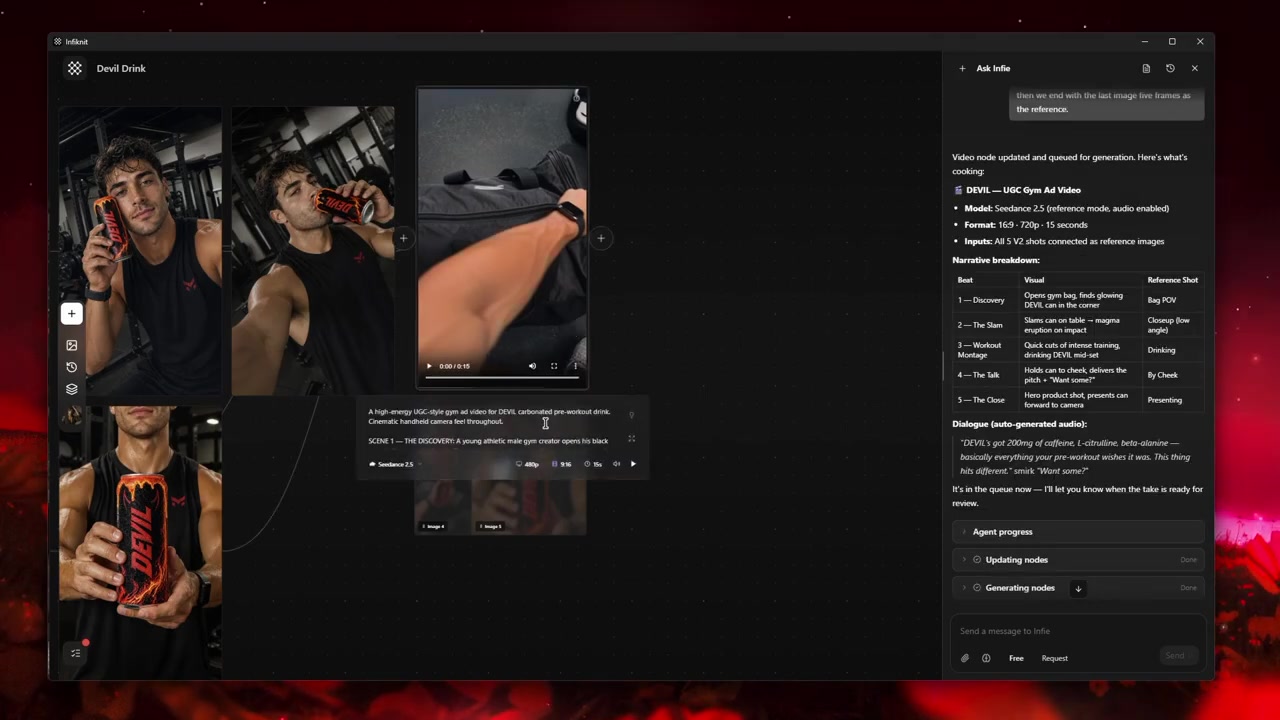
Keep the two endpoint references and the motion candidate on one branch. Name the candidate after the movement it attempts, then inspect the maximum-motion frame before deciding whether the endpoints were actually connected. A rejected bridge is useful when it shows which intermediate trait failed; retain the endpoints as reusable sources instead of overwriting them.
Quality-control checklist
- Define the first state, final state, duration, crop, and one movement connecting them.
- Match subject scale, camera direction, and lighting in both endpoint references.
- Check whether the selected route accepts both references and the requested duration.
- Review the first, peak-motion, and final frames at full size and delivery crop.
- Check hands, labels, face, silhouette, horizon, and caption-safe space.
- Keep a clean-cut branch when the bridge invents a new object or reverses direction.
- Save the endpoint pair, motion brief, settings, candidate, and acceptance note together.
- Use accepted endpoints as sources only after the transition review passes.
- Separate sound, captions, and final editorial approval from the visual endpoint test.
Record aspect ratio, duration, resolution, and frame rate when exposed by the video route.
Failure modes and honest limits
Endpoints can agree while the middle fails. Inspect the peak-motion frame for hands, labels, facial identity, and object geometry. Shorten the duration or split the shot when the path between states is not credible.
Endpoints can disagree about scale or light. Repair the references before adding motion text. A model cannot reliably bridge a product that begins close and ends tiny unless that change is the named action.
A provider may support one endpoint mode but not both. Keep the unsupported reference as a documented constraint and use the compatible route or a clean cut. Do not claim endpoint control from a single still.
The canvas narrows a visual contract; it does not certify every frame. Keep human review, captions, sound, and final editorial approval after the endpoint test.
How Infiknit supports the method
Infiknit keeps working evidence for first-and-last-frame video in the canvas. Projects preserve nodes, groups, viewport state, titles, and durable media references. Generated or uploaded media can become downstream inputs. Style, Character, Product, and Background assets can return as reference nodes. Eligible Image, Video, and Video Trim nodes can run directly or through a dependency graph.
The internal agent can preserve first-frame, last-frame, motion-brief, and eligible video nodes through validated canvas tools. It can queue supported work and show the endpoint relationships, but it cannot edit the transition pixels, judge the middle frame, or approve a finished shot. Keep those observations in the branch review note.
FAQ
How many nodes should first and last frame AI video generator use?
Start with first frame → last frame → motion brief → short candidate → three-checkpoint review. Add a clean-cut or alternate-motion branch only after the endpoint pair and first bridge pass. Extra nodes should represent a real editorial choice.
What should the first and last frames communicate?
The first frame establishes subject, composition, and motion direction; the last frame establishes the intended endpoint and the next edit. Review both at delivery size before trusting the intermediate motion.
What should be saved after endpoint review?
Keep both approved endpoint references, the shot brief, model settings, accepted clip, and a note about continuity limits. Two stable endpoints guide a shot; they do not guarantee every intermediate frame.
Can first-and-last-frame control replace a storyboard?
No. It defines the boundaries of one shot. Use a storyboard or shot list to decide why the shot exists, how it connects to the next one, and where captions or audio belong; then use endpoint references to make that individual transition testable.