
Iterative AI image creation on a visual canvas
Improve Infiknit AI images one controlled change at a time with references, branches, and reviewable decisions for repeatable image work.
 Arjun DesaiImage Creation Editor
Iterative AI image creation works best as a controlled visual project, not a prompt trick. In Infiknit, it means preserving the source while one visual variable changes at a time. This guide turns that search intent into a concrete canvas plan. It defines what to connect, what to review, what to preserve, and where the current product has real limits. Treat the worked example below as a repeatable test, not a promise of one-click perfection. Record settings such as 1080p resolution and 24 fps when the media type supports them.
Closely related searches include AI image variations, reference-led image editing, and AI image creation canvas. They share this canonical page because they require the same process and evidence. Splitting them into separate articles would repeat the answer and create competing pages.
Short answer: Build iterative AI image creation around one explicit outcome, visible inputs, capability-aware nodes, and a human review gate. Keep a saved reuse path for the accepted result.
Answer in practice: Iterative AI image creation is a decision system for a reusable visual direction prepared for the next project. Start by stating what the viewer must recognize, then separate stable identity from the variables you are allowed to change. Put the source, instruction, reference, and intended output on named canvas nodes so another person can inspect the chain. Choose a provider only after checking its input type, limits, duration, resolution, and authentication. Generate a small first candidate, review it at full size, and preserve the accepted branch instead of overwriting evidence. If the result drifts, repair the earliest uncertain input rather than hiding the problem in a longer prompt. If the result is sound, save the approved reference, settings, output, and dependency path for reuse. This keeps image iteration grounded in observable work. Use three review questions: what changed, what stayed fixed, and what can be reproduced. They are more useful than a promise of one-click perfection.
What does the canvas solve?
The real problem is continuity. A creator begins with an idea, finds a useful reference, produces an output, and then needs the output to remain connected to the next decision. A result should reveal which prompt, reference, model choice, and upstream media produced it. Without that context, a folder of generations is only storage. With context, it becomes a production system.
For a reusable production recipe prepared for the next project, separate identity from presentation before building. Identity is what must stay recognizable: product geometry, character traits, style language, or shot purpose. Presentation is what may change: framing, pose, background, motion, aspect ratio, or duration. Making that separation visible reduces drift and makes review faster.
How should the smallest graph be built?
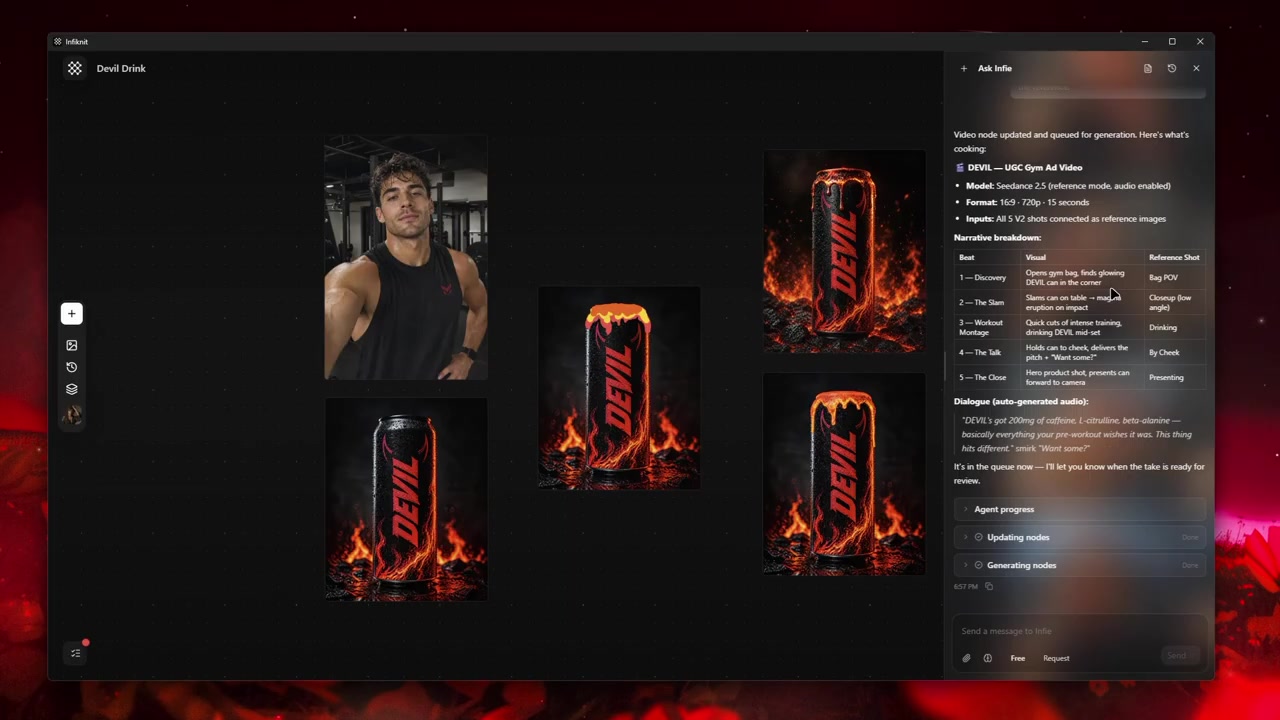
Start with the smallest graph that can answer one visual question. The product's supported connection families make the useful path explicit: Text can feed Image, Image can feed Image, and Style, Character, Product, or Background references can feed an Image node when the selected model accepts them. That is enough for a controlled image iteration; adding every available node only makes the decision harder to inspect.
1. State the change in a Text node
Write the acceptance condition before choosing a model. “Keep the can label and silhouette; change the camera from eye level to a low three-quarter angle” is testable. “Make it more premium” is not. Keep the instruction separate from the source image so the next branch can change the direction without losing the original brief. Add the intended aspect ratio to the instruction or node settings, but do not treat the Text node as a hidden settings drawer.
2. Protect identity with the right reference
Use a Product reference when packaging, logo placement, or geometry must survive the change. Use Character when a person or recurring subject must remain recognizable. Use Style for visual language such as lighting, palette, or material treatment. Use Background only when the environment is part of the decision. Each reference should answer one question; if a single image is carrying product, style, pose, and setting at once, a reviewer cannot tell which part caused drift.
3. Create one Image candidate
Connect only the inputs required by the current model and run a small candidate set. Infiknit's Image node supports text-to-image and image-to-image paths, multiple output URLs, variation slots, and saving a result as a library asset. Those capabilities make the first pass a comparison set, not a reason to generate dozens of unrelated images. Name the node for its decision—“low-angle product test” is more useful than an automatic ID—and keep the source visible beside the outputs.
4. Compare the result with the source
Review the candidate at the delivery crop and at full size. Check the protected identity first: label text, product silhouette, face, hair, hands, and any distinctive mark. Then check the intended change: camera angle, lighting, background, crop, or palette. If identity failed, repair the reference or input mode. If identity passed but the presentation failed, change only the presentation instruction. This order prevents a longer prompt from hiding the first uncertain input.
5. Branch only after a decision
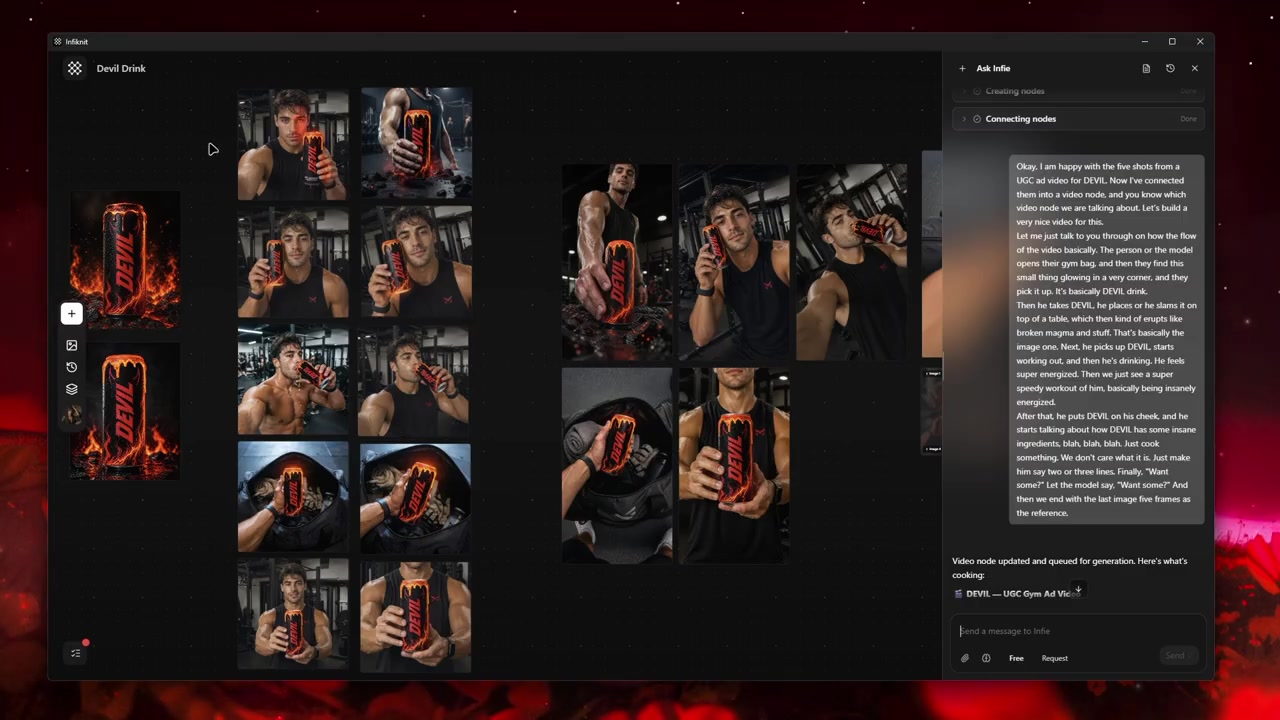
Use a new branch when one meaningful variable changes. Keep the accepted result connected to its source and leave a rejected result when it explains a provider boundary. A branch is not a second copy of the same prompt; it should answer a different question such as “does the approved product survive a wider crop?” or “does the same character hold the new pose?” Once a path is repeatable, save the approved output as a library reference or Blueprint input. A Blueprint should preserve a tested structure, not an unreviewed image.
Which decisions should be recorded?
| Decision | Review question | Canvas evidence |
|---|---|---|
| Product identity | Did the label, silhouette, and distinctive marks survive? | Product reference, source image, candidate, and full-size review note. |
| Subject identity | Does the face, hair, wardrobe, or recurring subject remain recognizable? | Character reference and a comparison against the approved source. |
| Presentation change | Did the requested crop, camera, lighting, or palette change without changing identity? | Text instruction, selected setting, and accepted branch. |
| Model compatibility | Can the selected model accept the connected image and reference inputs? | Model, provider, input mode, and any rejected capability shown on the node. |
| Reuse decision | Is this output stable enough to become a future reference? | Approved output, source relationship, settings, and reason for approval. |
A model name alone is not a strategy. One branch may require a different input mode, duration, resolution, or reference count from another. Infiknit filters controls using enabled models and validated providers, so the current capability surface must be checked before a queue begins.
What does a controlled iteration look like?
Consider a reusable production recipe prepared for the next project. Write a one-sentence acceptance condition describing what the viewer must recognize and what may change. Add source material as its own node instead of hiding every constraint inside a prompt. Create the first generation node with only the references required for that decision. If identity is wrong, repair the reference strategy. If identity is right but presentation is weak, adjust the presentation control.
Preserve the strongest candidate as a branch. Do not overwrite the only useful output while testing another direction. In an iterative image project, a branch is evidence: it shows which choice produced which result. Connect the approved candidate to the next media or refinement node. Save a reusable Character, Product, Style, or Background reference only after reviewing it at full size.
Review the artifact both as a final candidate and as an input. A still can look coherent in a thumbnail while hiding text or geometry problems. A video can move smoothly while changing the subject. A trim can remove the setup needed by the next shot. Queue downstream work only when both reviews pass.
How should an iteration be checked?
- Write the desired outcome in plain language.
- Keep the original source beside every derivative.
- Name nodes by responsibility rather than automatic ID.
- Change one major variable at a time.
- Verify model support for every connected input.
- Review product, character, text, and brand details at full size.
- Save references only after human approval.
- Record which candidate was accepted and why.
- Keep failed outputs when they explain a boundary.
- Save a Blueprint only after the graph works.
Record measurable settings such as 1080p resolution or 24 fps when the media type supports them.
What fails during iteration?
The product or text drifts. Return to the last candidate that still proves identity. Keep the approved Product reference connected, remove an unnecessary style or background input, and test the smallest edit that addresses the failure. Do not call the result approved because the provider returned an image; the label and geometry still need a human check.
The style reference overwhelms the subject. Compare the candidate with the style source and the product source separately. If the palette or lighting is correct but the subject is wrong, keep the Style reference and repair the Product or Character path. If the style itself is the problem, branch from the last approved image with a narrower style instruction.
The crop or aspect ratio breaks the composition. Do not regenerate identity and composition together. Keep the accepted image as the source, change the delivery setting or framing instruction, and inspect the new edges at the actual channel crop. Outpainting or reframing may introduce edge artifacts, so record the boundary beside the branch.
The model rejects a connected input. Check the capability and reference-count rules exposed by the selected provider. Disconnect the unsupported input or choose a compatible image mode, then rerun only that branch. The canvas should make the failed connection and the repair visible rather than hiding the failure in a new prompt.
How does Infiknit support iteration?
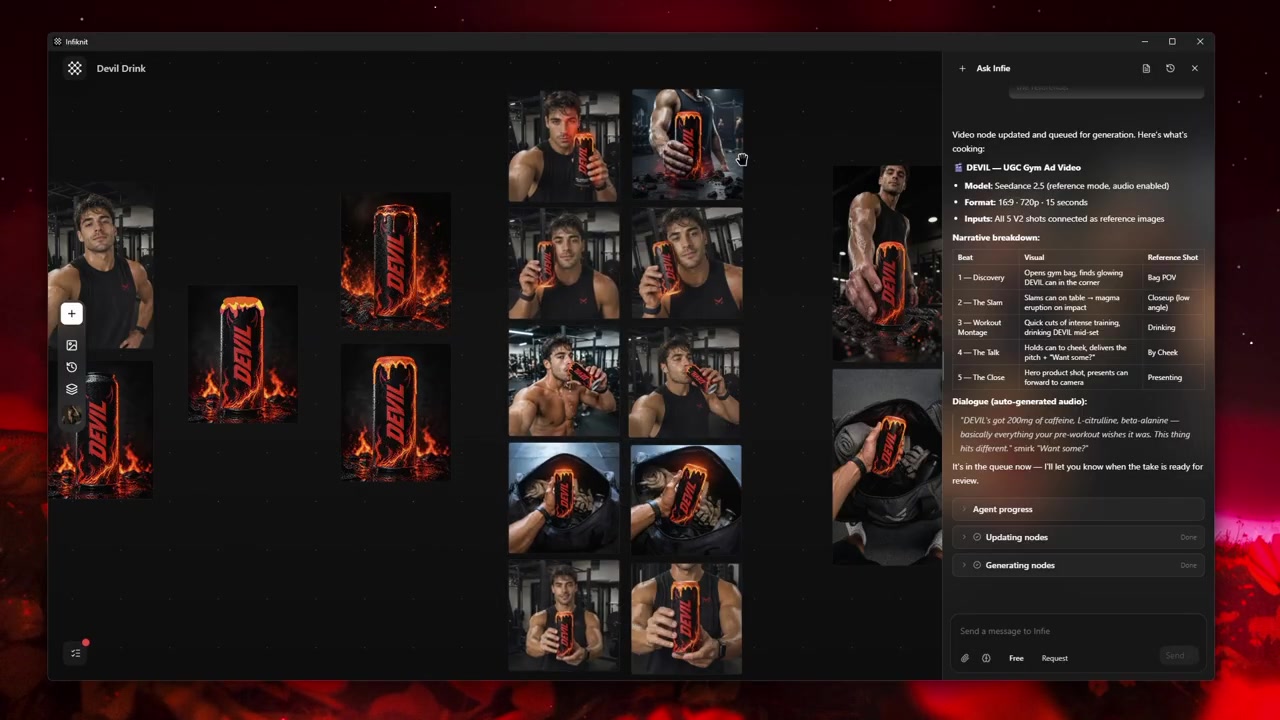
Infiknit keeps working evidence for iterative AI image creation in the canvas. Projects preserve nodes, groups, viewport state, titles, and durable media references. Generated or uploaded media can become downstream inputs. Style, Character, Product, and Background assets can return as reference nodes. Eligible Image, Video, and Video Trim nodes can run directly or through a dependency graph.
The internal agent can create, update, connect, disconnect, delete, read image nodes, and queue eligible nodes through validated frontend tools. It cannot directly edit pixels or operate Audio or Audio Trim nodes. It cannot generate a complete campaign through one broad command or synchronously wait for every provider result. Visible tool results and canvas state are the proof of completed work.
FAQ
How many nodes should an iterative image project use?
Use the smallest graph that preserves the decisions you need to revisit. Five clearly named nodes are often more useful than twenty unlabeled nodes. Add a branch only when it represents a different input, model, edit, or approval decision.
When should I branch an image iteration?
Branch when you are changing one meaningful variable—such as the reference, crop, lighting, or edit instruction—so the result can be compared with its source. Keep the accepted branch and record the reason it passed.
What evidence makes an iteration reproducible?
Save the approved reference, prompt, important settings, accepted output, and node relationships. Failed branches are worth keeping only when they explain a boundary or a decision that the next iteration should avoid.