
Remix images with multiple style references
Remix Infiknit images with separate product, character, style, and setting references while keeping each decision reviewable.
 Arjun DesaiImage Creation Editor
Multiple references are useful when each one has a different job. A product image can protect geometry. A character frame can protect identity. A style reference can influence lighting or texture. A setting reference can define the environment. Infiknit keeps those inputs named on a canvas so the creator can see which reference caused a change and remove one when the composition becomes confused.
AI image remix from reference, multi-reference image creation, and style reference canvas share this page because the decision is how to combine references without losing identity or scope.
Short answer: Give every reference one responsibility. Keep the strongest product or character source fixed, then add only the style or setting reference needed for the next decision. Name the references on Infiknit canvas nodes. Generate a small candidate and check whether identity, composition, lighting, and surface treatment are still understandable. If the result mixes two references into an unintended hybrid, remove the least necessary input rather than adding more text. Branch when you change one major reference. Preserve the accepted output beside its source pack and review note.
Answer in practice: Start with two references, not five. Use the first to define identity and the second to test one presentation decision. If the candidate is accurate, add a third reference only when it answers a clear question. Review the output at full size and compare the areas each reference was meant to control. A style reference should not change a product label. A setting reference should not change a character’s face. Name the accepted branch after the combination it proves, such as “product + warm studio,” and keep rejected hybrids for diagnosis rather than reuse.
What does multi-reference remixing solve?
Reference overload creates ambiguity. When every source is treated as equally important, the result can preserve none of them. A named, role-based source pack makes the priority visible. The creator can remove a style or setting reference without disturbing the approved identity source.
How should references be prioritized?
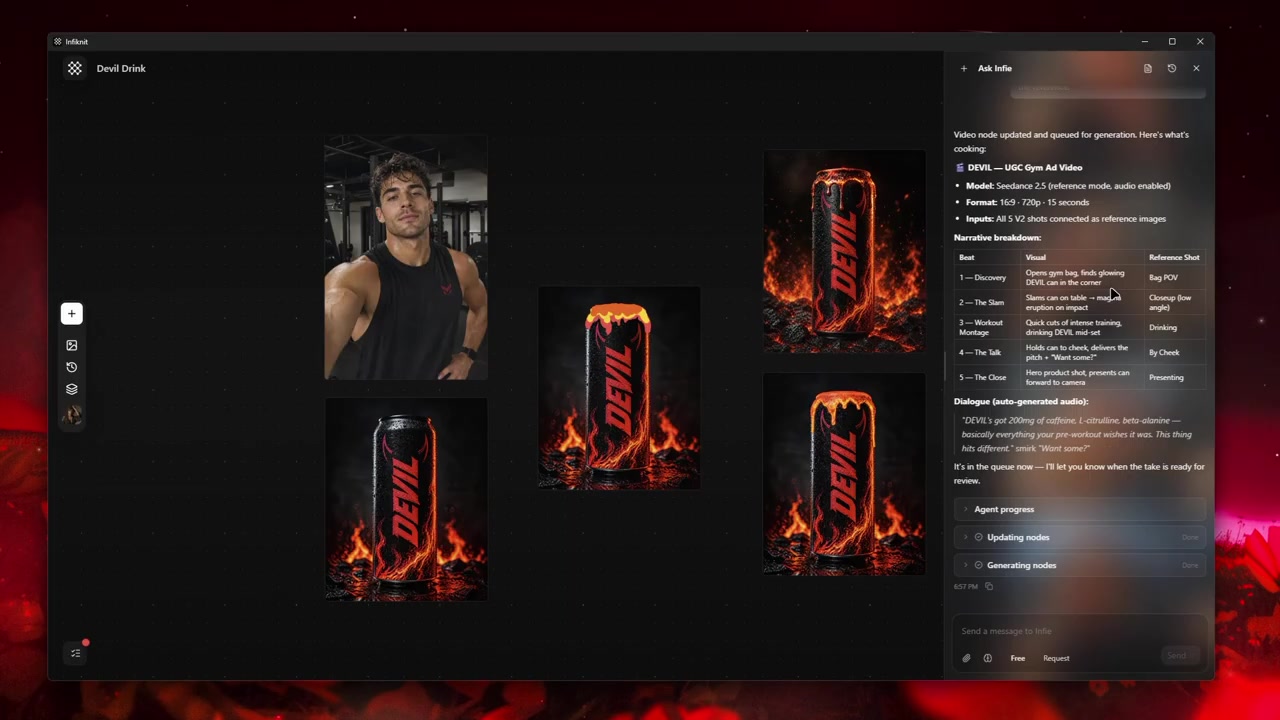
- Identity: product, character, or subject that must stay recognisable.
- Composition: framing, camera distance, or pose.
- Style: lighting, texture, palette, or material treatment.
- Setting: surface, room, landscape, or background.
Test the higher-priority reference before adding the next one. If identity fails, do not attempt to solve it with a stronger style reference. Keep the source pack and the accepted branch together so the remix can be reproduced or deliberately changed later.
For a product launch that needs still and moving assets, separate identity from presentation before building. Identity is what must stay recognizable: product geometry, character traits, style language, or shot purpose. Presentation is what may change: framing, pose, background, motion, aspect ratio, or duration. Making that separation visible reduces drift and makes review faster.
How should a multi-reference graph be built?
Start with five visible responsibilities: Text, Image, Style, Character, Product. One node should hold the instruction, one the strongest source, one the candidate output, one a reusable constraint, and one the next operation. A small graph with clear names is easier to inspect than a large graph with unlabeled branches.
1. Use Text for the aspect ratio
Give this Text node one responsibility and name it after that responsibility. Preserve the source it depends on, then connect only the downstream nodes that truly require it. Before generation, verify the aspect ratio in plain language. After generation, keep the source beside the result so another reviewer can reconstruct why it exists. Remember that input counts vary; the canvas should expose that constraint before provider time or credits are spent.
2. Use Image for the edit boundary
Give this Image node one responsibility and name it after that responsibility. Preserve the source it depends on, then connect only the downstream nodes that truly require it. Before generation, verify the edit boundary in plain language. After generation, keep the source beside the result so another reviewer can reconstruct why it exists. Remember that outpainting can add edge artifacts; the canvas should expose that constraint before provider time or credits are spent.
3. Use Style for the selection rule
Give this Style node one responsibility and name it after that responsibility. Preserve the source it depends on, then connect only the downstream nodes that truly require it. Before generation, verify the selection rule in plain language. After generation, keep the source beside the result so another reviewer can reconstruct why it exists. Remember that references reduce but do not eliminate drift; the canvas should expose that constraint before provider time or credits are spent.
4. Use Character for the reference role
Give this Character node one responsibility and name it after that responsibility. Preserve the source it depends on, then connect only the downstream nodes that truly require it. Before generation, verify the reference role in plain language. After generation, keep the source beside the result so another reviewer can reconstruct why it exists. Remember that batching should follow art-direction approval; the canvas should expose that constraint before provider time or credits are spent.
5. Use Product for the variation count
Give this Product node one responsibility and name it after that responsibility. Preserve the source it depends on, then connect only the downstream nodes that truly require it. Before generation, verify the variation count in plain language. After generation, keep the source beside the result so another reviewer can reconstruct why it exists. Remember that input counts vary; the canvas should expose that constraint before provider time or credits are spent.
Which remix decisions should be recorded?
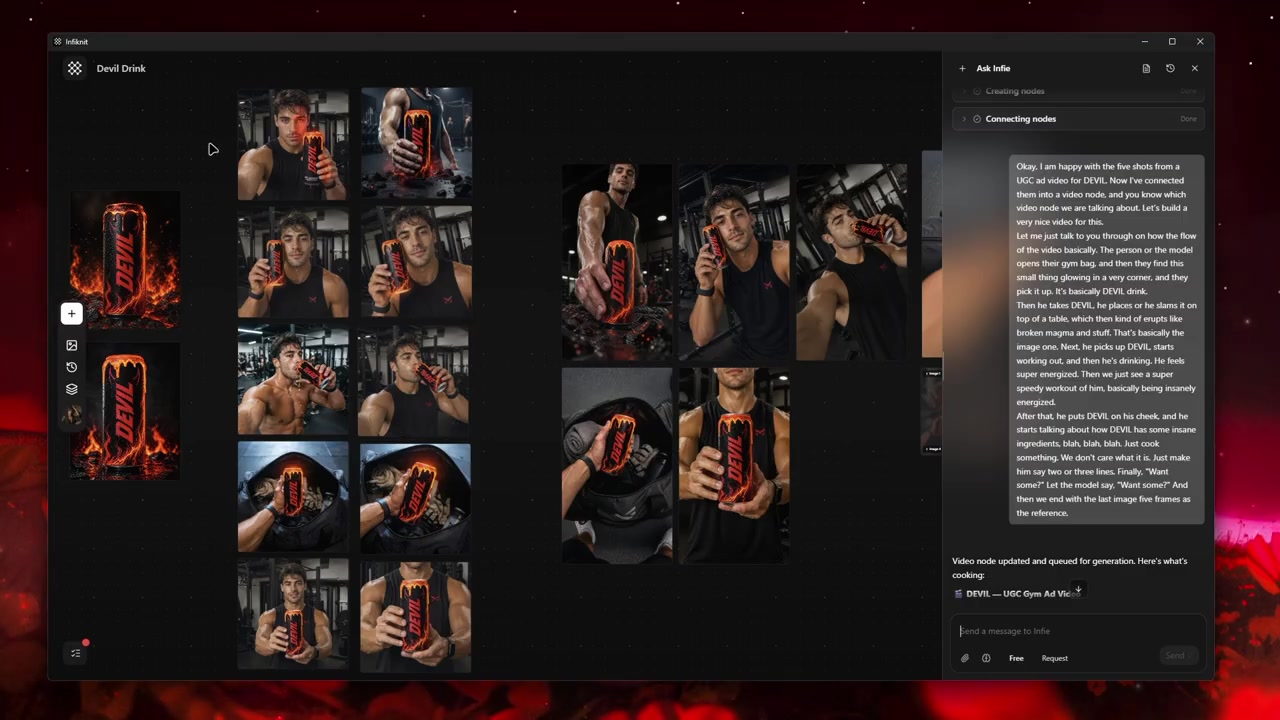
| Decision | Review question | Canvas evidence |
|---|---|---|
| Aspect Ratio | What must be true before this step is useful? | A named Text node, its source, and a note that input counts vary. |
| Edit Boundary | What must be true before this step is useful? | A named Image node, its source, and a note that outpainting can add edge artifacts. |
| Selection Rule | What must be true before this step is useful? | A named Style node, its source, and a note that references reduce but do not eliminate drift. |
| Reference Role | What must be true before this step is useful? | A named Character node, its source, and a note that batching should follow art-direction approval. |
| Variation Count | What must be true before this step is useful? | A named Product node, its source, and a note that input counts vary. |
Choose the image route after deciding which reference must win. Check its accepted input count, aspect-ratio options, and edit mode before queuing. If the route cannot take the product and style references together, run a product-only identity branch first and add presentation in a separate branch. The canvas should record that trade-off so two candidates are not mistaken for an equal test.
What does a controlled remix look like?
Consider a product launch that needs still and moving assets. Write a one-sentence acceptance condition describing what the viewer must recognize and what may change. Add source material as its own node instead of hiding every constraint inside a prompt. Create the first generation node with only the references required for that decision. If identity is wrong, repair the reference strategy. If identity is right but presentation is weak, adjust the presentation control.
Preserve the strongest candidate as a branch. Do not overwrite the only useful output while testing another direction. In a multi-reference image project, a branch is evidence: it shows which choice produced which result. Connect the approved candidate to the next media or refinement node. Save a reusable Character, Product, Style, or Background reference only after reviewing it at full size.
Review the artifact both as a final candidate and as an input. A still can look coherent in a thumbnail while hiding text or geometry problems. A video can move smoothly while changing the subject. A trim can remove the setup needed by the next shot. Queue downstream work only when both reviews pass.
How should a remix be checked?
- Label the identity anchor and state what every additional reference is allowed to change.
- Compare the product or character silhouette, text, and distinctive marks before judging style.
- Inspect seams where subject, setting, and lighting references meet, especially at the frame edge.
- Record input count, aspect ratio, crop, and route for each branch.
- Keep the source pack beside the candidate; never flatten the only approved identity source.
- Reject a hybrid that cannot be explained in one sentence.
- Approve a branch only after checking the intended delivery crop and downstream video use.
- Save a reusable reference only after its role and retirement condition are written down.
What fails when references are combined?
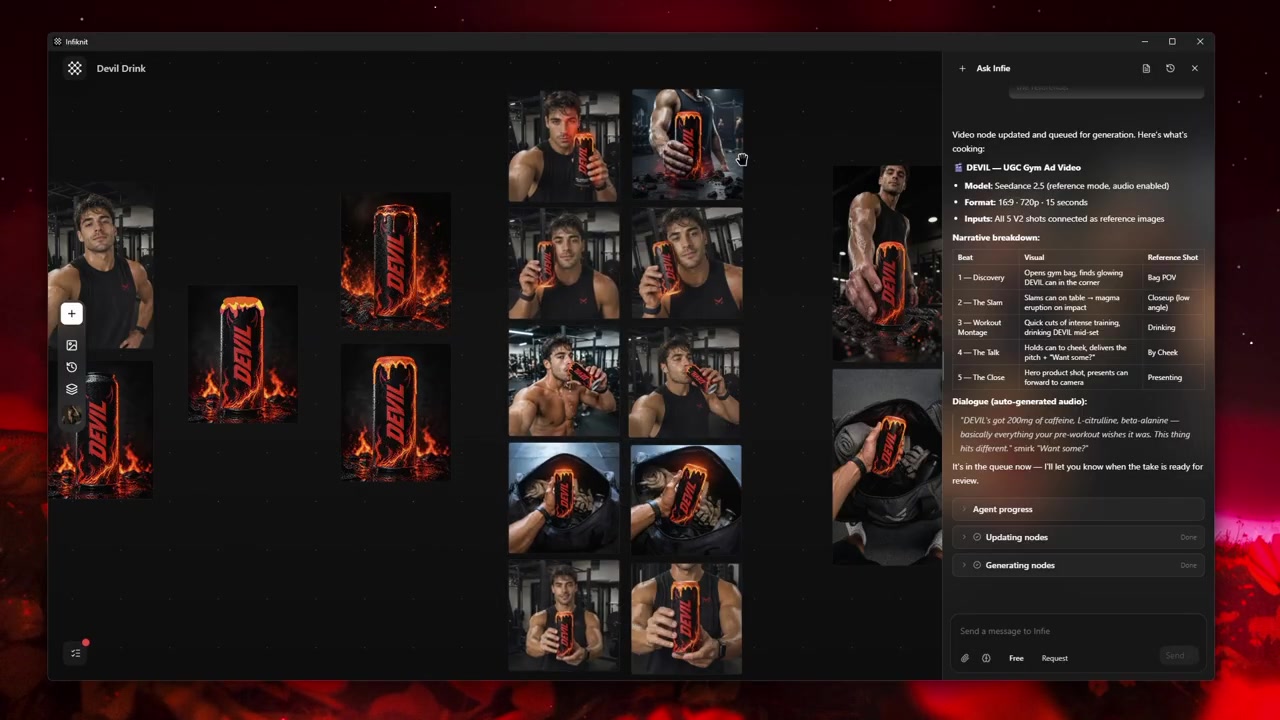
Input-count mismatch: If one route drops a reference, mark that branch as a different experiment and compare it only with branches using the same source pack.
Edge artifacts: Inspect the new perimeter at full size after an outpaint or wide crop. Return to the original if the edge introduces a seam or an unexplained object.
Reference drift: Remove the least important style or setting input when it changes the subject. More references cannot repair a weak identity anchor.
Premature batching: Approve one two-reference still before creating a larger set. A wrong priority becomes expensive when multiplied across a batch.
How does Infiknit support reference remixing?
Infiknit keeps each reference role, candidate branch, and review note visible on the canvas. Product, Character, Style, and Background assets can be named and reused, while an accepted Image can become the source for a later video or edit. The canvas records which inputs were connected and which candidate was selected; the provider still determines how strongly each reference is interpreted. Keep the rejected hybrid beside the accepted branch when it explains the decision.
FAQ
How should multiple references be prioritized?
Choose one reference as the subject or composition anchor, then assign the remaining references a specific job such as style, palette, or environment. This keeps a conflicting reference from silently overriding the primary decision.
How can a remix be checked before batching?
Review the first accepted still at the intended crop and compare subject identity, lighting, palette, and edges against the reference pack. Batch only after those checks pass; additional inputs can otherwise multiply drift.