
Generate image variations from reference images
Generate controlled Infiknit image variations by preserving the reference and changing one visual decision at a time for repeatable content.
 Arjun DesaiImage Creation Editor
Variations are useful only when the creator knows what changed. Keep the approved reference fixed, then test one variable such as framing, background, pose, lighting, or aspect ratio. Infiknit gives the source, instruction, candidate, and review note a shared place on the canvas. That makes comparison possible and prevents a stronger-looking variation from quietly becoming a different product, character, or brand style.
Controlled AI image variations, reference image generation, and AI image variation canvas describe the same search job: explore presentation while preserving the identity that matters.
Short answer: Put one approved reference beside a clear acceptance condition. State what must stay fixed and which single variable will change. Create a candidate branch with a named instruction, then compare it with the reference at full size. Check product geometry, character identity, text, colour, lighting, and crop before judging style. If the branch changes more than intended, repair the instruction or source instead of adding another reference. Keep the accepted variation linked to its origin and record why it passed. Variations are experiments with a known control, not a request for unlimited random outputs.
Answer in practice: Start with a source that proves the identity trait you care about. If the product label matters, use a legible product image. If a character must remain recognisable, choose a reference that shows the face and hair clearly. Write the variable beside it: “same bottle, new countertop,” or “same character, three-quarter pose.” Generate two or three branches, not dozens. Compare them side by side and keep the accepted branch connected to the exact instruction that produced it. A second variation can then use the accepted image as its source, but it should be a new decision, not an untracked chain of edits.
What do controlled image variations solve?
Uncontrolled variation creates false choice. Ten outputs may differ in background, crop, product shape, and lighting at the same time, leaving no evidence of which decision helped. A controlled canvas branch makes the comparison fairer. The source remains visible, the variable is named, and the review note records the result.
How should one source be varied?
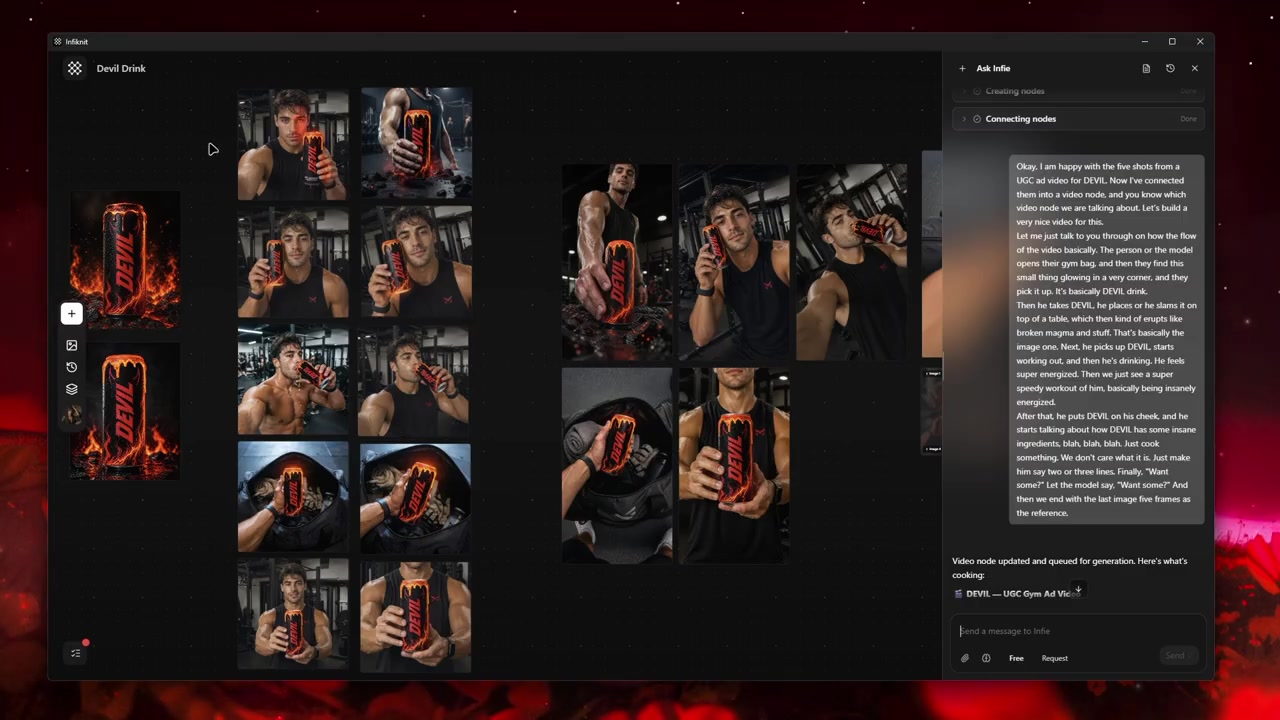
Make four branches from the same approved reference: close crop, wide crop, new background, and alternate lighting. Keep the product or character fixed. Review each branch at the delivery size, not only as a large preview. If a branch changes identity, retire it. If two branches are both accurate, choose the one that better serves the viewer outcome and keep the other as a deliberate alternative.
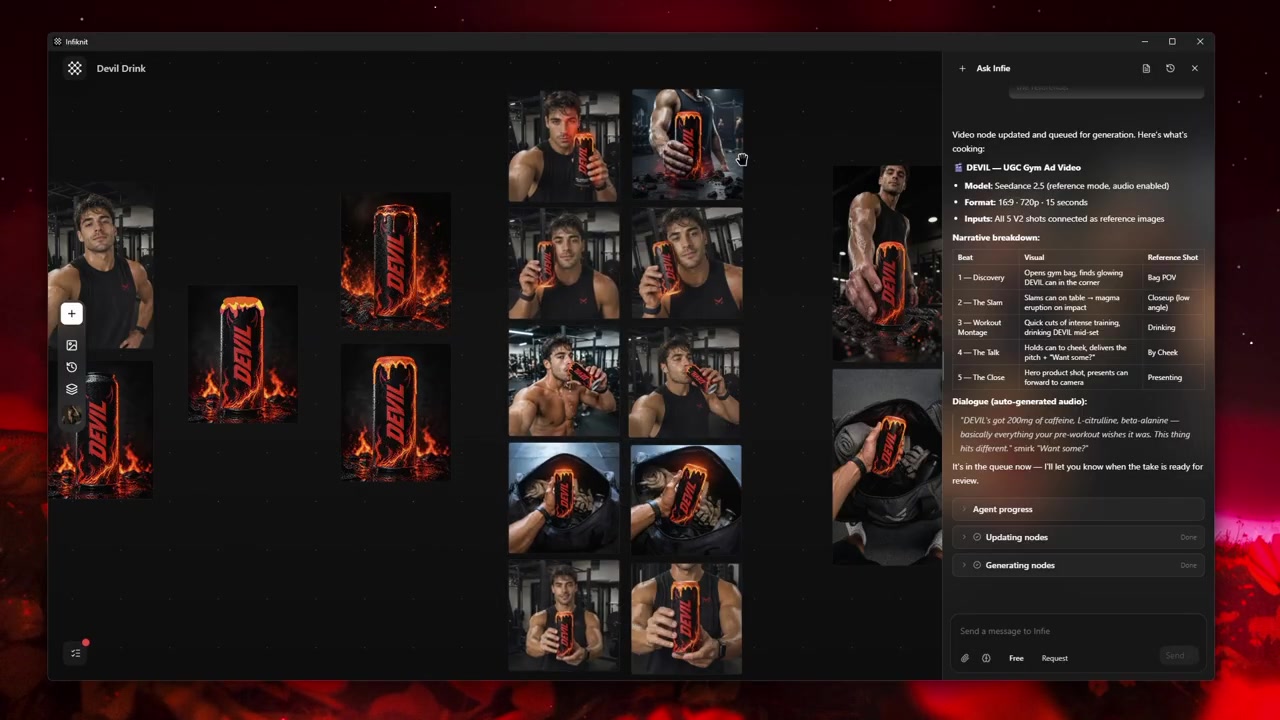
When a variation will become a video reference, check motion readiness as well. A beautiful crop may leave no room for an action. A close-up may hide the hand or control the shot needs. Record the downstream use beside the branch so a later editor does not choose an attractive but unsuitable still.
Before making variations, write the control and the variable in two lines. The control is the trait the source proves: a product's label, a character's face, or a composition's subject. The variable is one presentation choice: crop, background, lighting, pose, or aspect ratio. This distinction turns “make more options” into a useful experiment and makes it clear when a branch is no longer a variation of the source.
How should the variation graph be built?
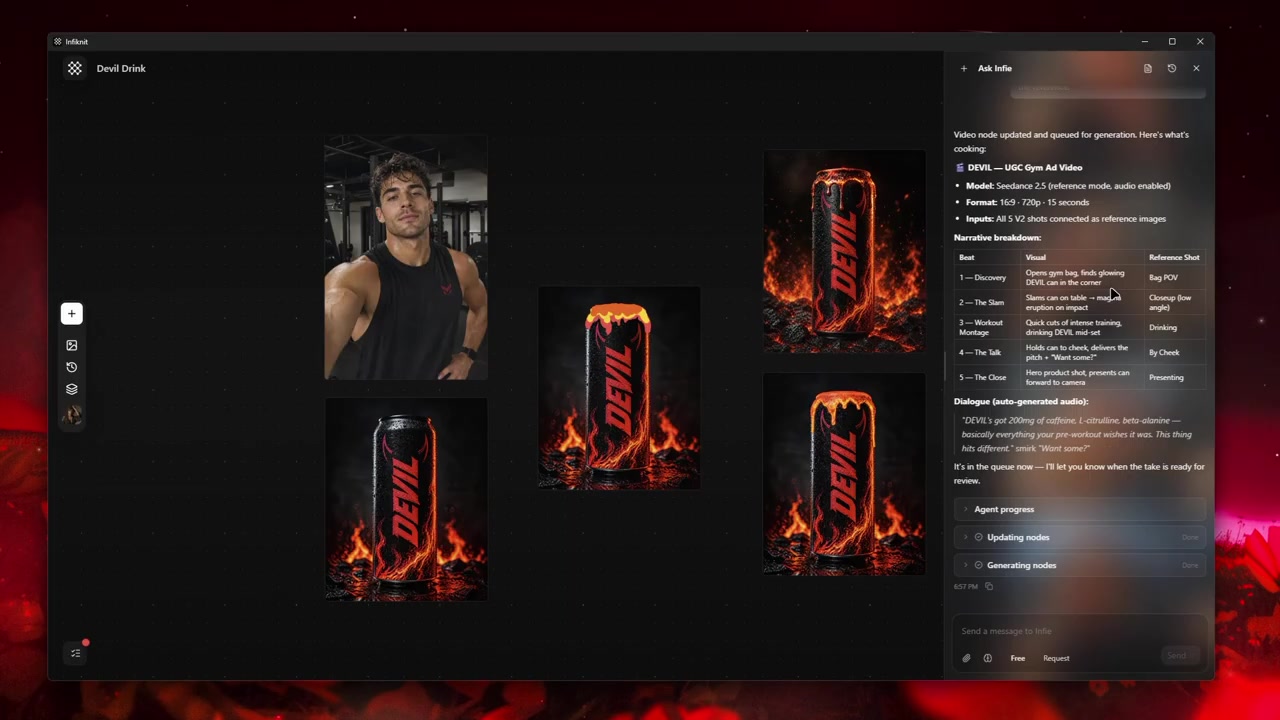
Build the graph around a single source and named branches. The source stays fixed; every branch states exactly what it changes and how it will be judged.
1. Source Image: define the control
Use an Image or Product reference that clearly proves the subject. Name it for the item or character and record the identity checks. Do not use a low-resolution candidate as the source for a whole batch.
2. Text brief: define one variable
Write “same product, new background” or “same character, three-quarter pose,” not “make it better.” Include crop and delivery use so a beautiful but unusable branch is easy to reject.
3. Presentation reference: add only if necessary
Attach a Style or Background reference when it answers the variable. A style reference should guide palette or light; it should not silently replace the product source. Keep the purpose in the node title.
4. Candidate branches: compare fairly
Generate two or three branches using the same source and acceptance criteria. If the model requires a different input count or aspect ratio, record that difference beside the branch so comparisons remain honest.
5. Selection: approve one use at a time
Mark the accepted variation and its intended channel. A branch for a video opening may need extra headroom, while a catalog crop may need label clarity. Reuse the accepted image only after its downstream purpose passes review.
Which variation decisions should be recorded?
| Decision | Review question | Canvas evidence |
|---|---|---|
| Control | Which subject traits must remain unchanged? | Approved source and identity checklist. |
| Variable | What single visual decision is changing? | Named Text brief and branch title. |
| Reference role | Does the added input only guide the variable? | Purpose note beside Style/Background reference. |
| Comparison | Are branches generated from the same control? | Shared source and acceptance criteria. |
| Handoff | Is the accepted variation fit for its channel? | Approved branch with crop and downstream use. |
Before a variation run, check the selected route's reference count, aspect-ratio options, and edit mode. If it cannot accept the source plus a Style or Background reference, create a source-only branch and record the trade-off. Keep route and source-pack changes visible so a different input contract is not mistaken for a better variation.
What does a controlled variation look like?
Use one approved bottle image to test four deliberate variants: neutral catalog, warm countertop, close label detail, and vertical social crop. Keep the bottle source fixed and change only the named presentation decision. Compare the label and silhouette first, then shadows, composition, and crop-safe space. If the warm countertop branch changes the cap, reject that branch and retry with a simpler background. If the close detail is accurate but too tight for a later video, keep it as a detail branch, not as the universal source.
Do not overwrite the source or the first accepted candidate. Keep a rejected branch when it teaches something specific, such as “third reference caused label drift.” Once a branch passes, name the intended channel and connect it to the next media node. Save a Product, Character, Style, or Background reference only after its role is explicit.
Review each variation at delivery size and as a downstream input. A branch that is correct in a still may not leave room for motion or captions. Record that limitation with the approval.
How should a variation be checked?
- State the control in one line and the variable in another before generating.
- Keep the product label, character face, or other identity trait visible in the source.
- Generate two or three branches with the same source, route, crop, and acceptance rule.
- Compare identity and artifacts before choosing the more attractive composition.
- Check the delivery crop and any room needed for motion or captions.
- Record source-pack and reference-count differences beside branches that cannot be compared directly.
- Keep the accepted image connected to its intended channel and downstream use.
- Retire any branch that changes the stated control, even if its style looks stronger.
What fails in reference-led variation?
Batch size: Start with two or three candidates after the art direction is clear. More outputs do not fix an unclear control.
Input limits: Record reference count and aspect-ratio differences for each model. A branch is not comparable if its source inputs silently changed.
Edge artifacts: Outpainting can invent seams or objects at the new edge. Inspect the boundary at full size and keep the original source available.
Identity drift: References reduce drift but do not eliminate it. Reject any branch that changes the product, face, label, or other stated control.
How does Infiknit support variations?
Infiknit keeps the approved source, named variable, candidate branches, and selection note visible on the canvas. Product, Character, Style, and Background assets can be assigned a clear reference role, and an accepted Image can feed a later crop or video branch. The canvas records why a variation won; it does not choose the winner or hide an input change. Keep the original source available for every comparison.
FAQ
How many nodes should AI image variation generator use?
Start with one approved source and one branch for each variable you are testing. Add another branch only when it represents a distinct crop, background, pose, or model comparison; an unlabeled batch makes the variations impossible to evaluate.
Which reference should anchor an image variation?
Choose the source that contains the subject or product details that must not change. Record whether each branch changes composition, lighting, style, or crop so the variation has a clear purpose.
How should variations be compared?
Use the same reference and acceptance criteria for each branch. Compare identity, composition, artifacts, and useful differences at final output size before selecting a candidate for reuse.