
Edit generated images with references and masks
Edit Infiknit images by isolating one change, preserving the approved source, and reviewing the edited branch before reuse.
 Arjun DesaiImage Creation Editor
An image edit should have a boundary. Inpainting changes a defined area inside the frame. Outpainting extends the frame into a new area. A reference can protect the product, character, or style while the mask says where the change is allowed. Infiknit keeps the original, edit instruction, reference, candidate, and review note connected so an accepted edit does not erase the source it came from.
Reference-led AI image editing, controlled image edits, and AI inpainting and outpainting share this page because each requires a defined source, change area, and review condition.
Short answer: Keep the approved image as the source, then state the exact region and change. Use a mask to limit the edit and a reference to preserve identity or style. Test one change at a time: remove a prop, repair a label area, extend the background, or adjust a pose. Review the boundary between edited and untouched pixels at full size. Check product geometry, hands, text, and lighting. If the edit changes more than intended, narrow the mask or repair the instruction. Save the accepted branch beside the original and record why it passed. A mask limits intent; it does not guarantee perfect pixels.
Answer in practice: Start with the smallest mask that can express the change. If a cable is distracting, mask the cable rather than the whole desk. If a product needs more space for a vertical crop, extend the canvas on the empty side rather than repainting the product. Keep a reference image beside the mask when identity matters. Name the branch after its purpose, such as “remove cable” or “extend right background.” Compare the candidate with the original at full size and at delivery size. An edit that looks convincing in a thumbnail can still break a label or shadow when inspected closely.
What does reference-led editing solve?
The risk in generative editing is scope creep. A broad mask and vague instruction can change the subject, lighting, and composition while appearing to solve one small defect. Keeping the source, mask, instruction, and candidate together makes the scope visible. A reviewer can tell whether the model changed only the intended area and can return to the original if the edit is not acceptable.
A mask review checklist
- Does the mask cover the intended change and nothing more?
- Does the reference show the identity trait the edit must preserve?
- Does the generated boundary match nearby lighting, texture, and perspective?
- Did any label, hand, face, or product control change outside the mask?
- Does the outpainted area leave safe space for the final crop?
- Is the accepted branch linked to the original source?
Keep failed candidates when they reveal a limitation, such as a model changing a small logo or inventing an object at the edge. Those notes guide the next mask. Do not flatten the original and edit; the ability to compare is part of the evidence.
For an image edit, identity is the source content that must survive and presentation is the part being changed. Identity may be a bottle label, a character face, or the lighting language of a scene. Presentation may be an outpainted side, a removed prop, a new crop, or a different background. Infiknit's edit modal and reference paths are probabilistic image regeneration, not Photoshop layers; treat the mask or region as an intended boundary and verify the pixels around it.
How should a masked-edit graph be built?
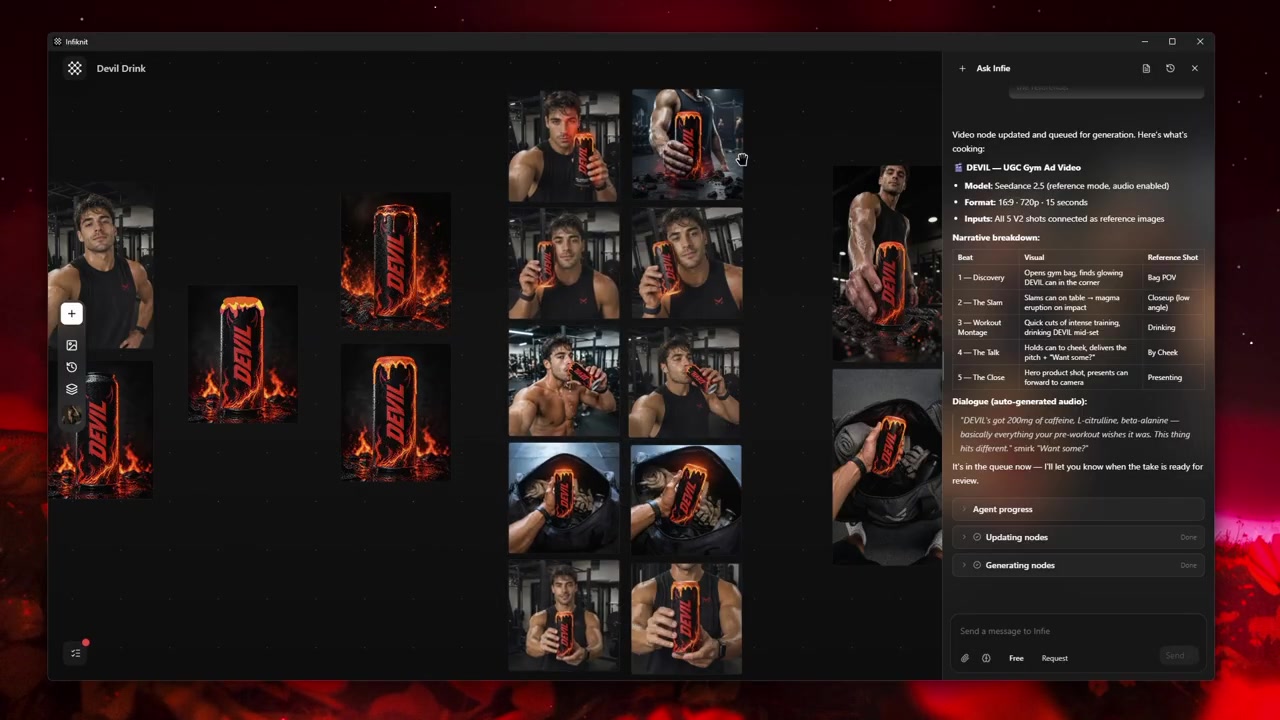
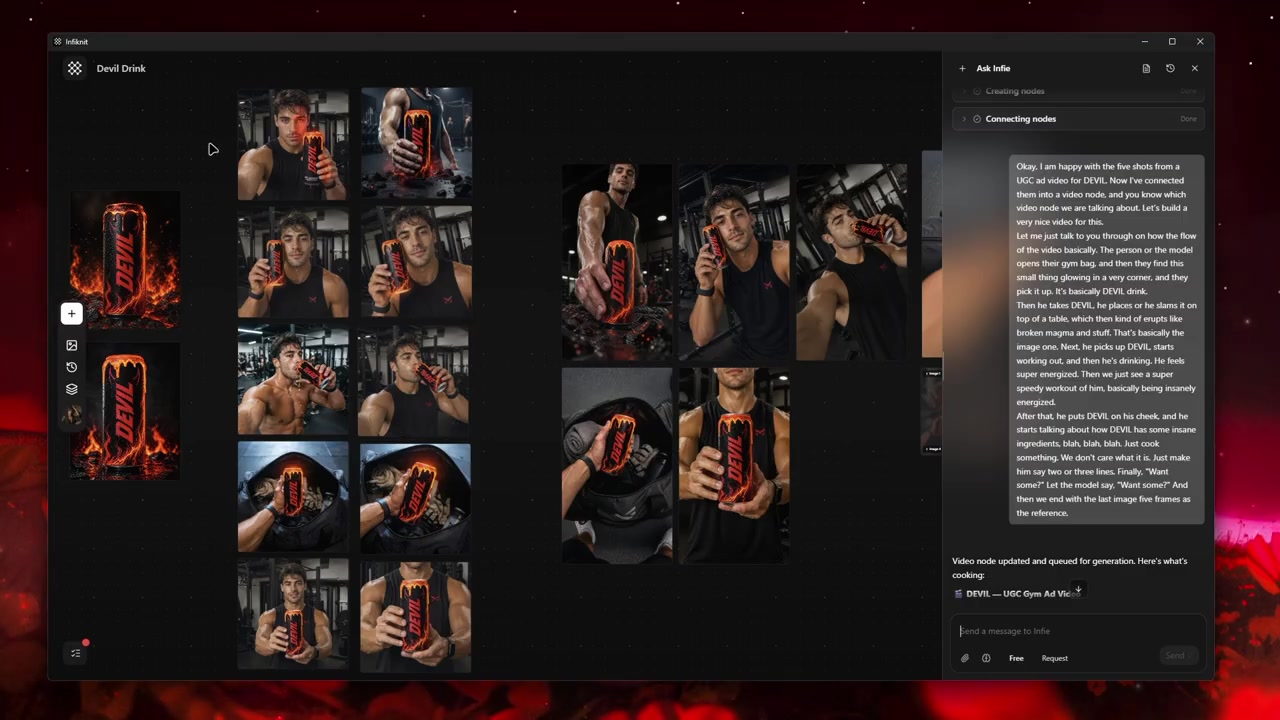
Keep the source, edit instruction, reference, candidate, and approval as a short chain. The graph records intent and provenance; the image-edit modal performs the actual regeneration.
1. Source Image: preserve the untouched frame
Put the approved image in an Image node and label the frame or product it proves. Never replace this node with the edited output. A visible original is the only reliable comparison for pixels outside the requested region.
2. Edit brief: define the region in words
Write what changes and what remains fixed: “remove the cable from the lower-left desk; keep the laptop, hand, and shadows.” A precise region description is useful even when the provider does not expose a literal mask parameter.
3. Reference: protect identity when needed
Attach a Product, Character, Style, or Background reference only if it protects a trait the edit must retain. Use Literal-style source intent for preserving visible content and Inspiration-style intent when the reference is only a mood guide. Do not treat either mode as pixel locking.
4. Edit candidate: inspect the boundary
Run the supported image edit or outpaint path. Keep each candidate on its own branch and compare the target region and its perimeter. If a provider cannot accept the reference and edit together, record that limitation and test the supported input combination.
5. Approval: save the reason, not just the file
Name the accepted branch “remove-cable-approved” or “outpaint-right-for-vertical.” Store the original, instruction, reference, target aspect ratio, and review note. That record makes the edit reproducible without pretending it was a deterministic layer operation.
Which edit decisions should be recorded?
| Decision | Review question | Canvas evidence |
|---|---|---|
| Source | What must remain unchanged? | Untouched Image node and source metadata. |
| Edit region | Which object, edge, or empty area is allowed to change? | Specific instruction and boundary note. |
| Reference role | Is the attachment preserving identity or setting direction? | Named reference with Literal or Inspiration intent. |
| Provider route | Does the selected edit path support these inputs? | Model/input check recorded before queueing. |
| Approval | Did the boundary, text, geometry, and lighting pass? | Candidate beside source with review note. |
The model is part of the edit boundary. Infiknit's current Reve route accepts an edit instruction, a reference image, and an aspect ratio; it does not expose a public pixel mask, source placement, or deterministic region contract. Check the active route before promising an inpaint-style result. If the task needs exact pixels, keep the untouched source and use a dedicated raster editor after the generative branch.
What does a controlled image edit look like?
Take a product image with a distracting cable and a 4:5 crop that needs more background on the right. Keep the original in one branch. For the cable, write the exact object and the nearby details that must remain. For the crop, choose the target aspect ratio and use the edit/outpaint route with the product source as a Literal reference. Compare the result at full size: cable gone, product label unchanged, shadow believable, and the new edge free of seams. If the model repaints the label, return to the original and narrow the request; do not use that candidate as the new source.
Keep a failed branch with the reason “label changed outside requested region.” Connect only the approved edit to later image/video work. When the job requires pixel-perfect removal or a hard alpha mask, stop at the generative candidate and hand the original plus candidate to a raster tool; Infiknit's current route should not be described as a deterministic inpainting layer.
Review the image at the requested boundary, then review it as a downstream input. Outpainted space may be useful for a vertical crop but can introduce a new object that affects the next video prompt. Record that limitation beside the accepted branch.
How should a masked edit be checked?
- Keep an untouched source and define the smallest allowed region in words before editing.
- State which pixels must remain fixed: label, face, product edge, hand, shadow, or background line.
- Record whether the reference is Literal (preserve visible content) or Inspiration (guide appearance).
- Check the selected route's accepted reference, aspect-ratio, and edit controls before queuing.
- Compare the requested region and its perimeter at full size, then check the delivery crop.
- Keep a failed candidate when it proves that the route changed pixels outside the boundary.
- Approve only the branch whose change can be explained in one sentence.
- Use a deterministic raster editor when the acceptance rule is pixel-perfect.
What fails during masked editing?
Region drift: Generative editing can change pixels outside the intended area. Compare against the untouched source and rerun with a narrower instruction or a different route.
Reference overreach: A style or inspiration reference can reinterpret the whole frame. Use it only when that reinterpretation is acceptable; use a Literal source when visible content must remain.
Aspect-ratio limits: Current outpaint behavior is native aspect-ratio extension, not free source movement, scaling, rotation, or a public alpha-mask API. Choose the target ratio before queueing.
Exact retouching: If the acceptance condition is pixel-perfect text or geometry, retain the original and finish in a deterministic raster editor rather than claiming the generated result is exact.
How does Infiknit support reference-led editing?
Infiknit keeps the untouched source, edit instruction, reference role, candidate, and boundary review together on the canvas. Product, Character, Style, or Background assets can sit beside the source when they protect a named trait. The canvas preserves the comparison and downstream handoff; the provider route performs the regeneration and may change pixels outside the intended region, so acceptance still requires a full-size check.
FAQ
How many nodes should AI image editor with inpainting and outpainting use?
Use the untouched source, one edit brief, the required reference, and one candidate branch. Add a second branch only for a different boundary or provider route; the original must remain visible for pixel comparison.
How can I tell whether a masked edit is safe to accept?
Compare the candidate with the untouched source at full size, especially the mask edge, identity, text, product geometry, and lighting. If more than the requested region changed, narrow the mask or repair the instruction.
What should be saved with an inpaint or outpaint edit?
Keep the original, mask, edit instruction, settings, accepted output, and a note explaining why it passed. The record lets a later contributor reproduce the change without guessing at the boundary.