
AI media editing for images and video
Edit AI images and video in Infiknit by connecting the source, intended change, candidate, and review decision for cleaner revisions.
 Arjun DesaiImage Creation Editor
Editing is the decision between a source and a usable result. A still may need a crop, mask, background extension, or reference-led change. A clip may need a trim, selected frame, continuation, or a new caption. Infiknit keeps the source, intended edit, candidate, and review note connected so the creator can see what changed and preserve the original.
AI editing canvas, image and video refinement, and AI video scene editing share this page because each requires a clear source, a bounded change, and a reviewable result.
Short answer: Preserve the original source, name the one change you intend to make, and keep the edit as a separate branch. Use a reference or mask when identity or scope matters. Review the boundary between changed and untouched areas at full size. For video, inspect the first, middle, and final frames, then check captions and audio separately. If the candidate changes more than intended, narrow the mask, shorten the trim, or repair the instruction. Keep the accepted edit linked to its source and record why it passed. Infiknit is a connected creative canvas, not a replacement for every specialist editor.
Answer in practice: Put the source on one node and the intended change on another. If a product label must remain unchanged, attach the clearest product reference. If a background must extend, define the safe area and final crop before generating. If a clip needs a shorter opening, use a trim and preserve the original. Name the branch after the edit: “remove cable,” “extend right edge,” or “trim setup.” A reviewer can then compare the candidate with the source and understand the scope without reading a long prompt.
What connected media editing solves
Connected editing protects the original decision. A flattened export hides which pixels or frames changed and makes a later repair risky. A canvas branch preserves the source, the edit instruction, and the review result. That record is especially useful when an image becomes a video reference or a trimmed clip becomes the opening of a new shot.
A bounded edit review
Review scope first, fidelity second, and delivery format third. Scope asks whether only the intended area changed. Fidelity asks whether product geometry, character identity, text, lighting, and perspective still make sense. Delivery asks whether the final crop, duration, captions, and audio work where the asset will appear. Keep a failed candidate if it exposes a boundary. Delete only the experiments that add no information.
For a visual direction tested across several generation models, separate identity from presentation before building. Identity is what must stay recognizable: product geometry, character traits, style language, or shot purpose. Presentation is what may change: framing, pose, background, motion, aspect ratio, or duration. Making that separation visible reduces drift and makes review faster.
Choose the edit path from the material you have
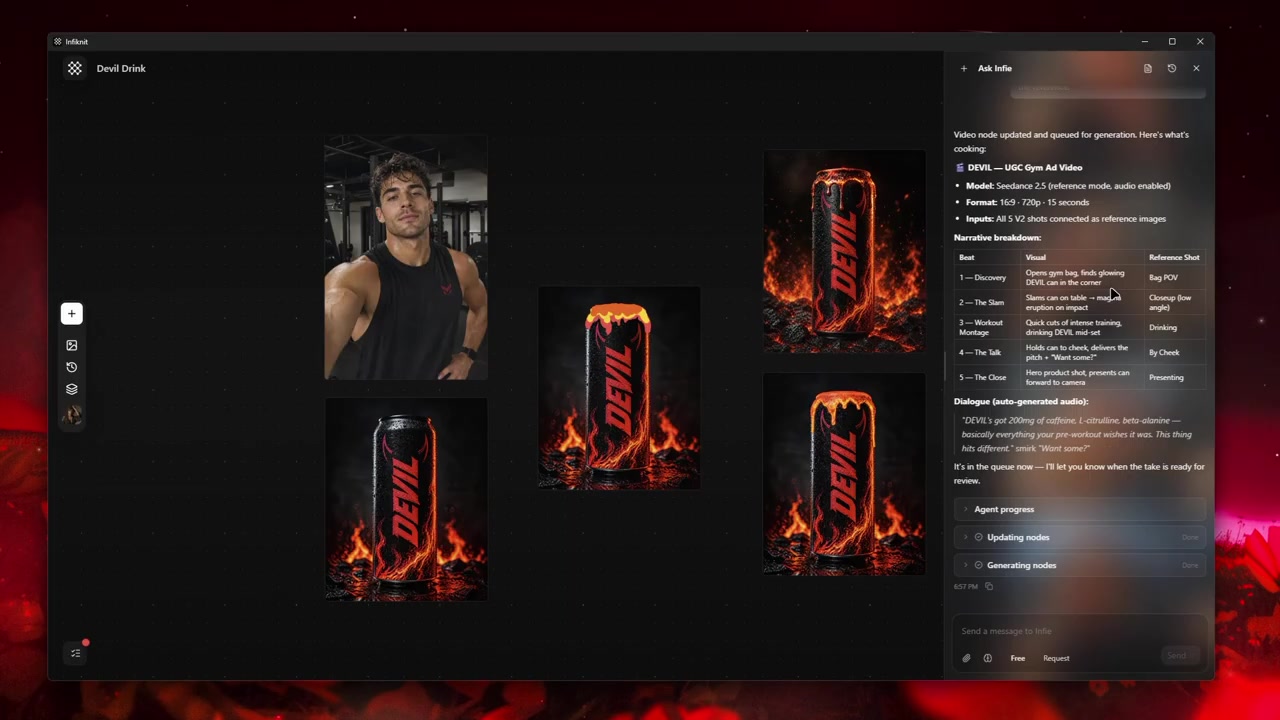
Do not start by arranging a standard set of nodes. Start by naming the source and the exact operation. A still with one distracting object needs a reference and a bounded mask. A still whose edges are too tight needs an outpaint or background extension. A clip with an unnecessary setup needs a trim. A clip that ends before the next action needs a continuation from an accepted last frame. Those are four different jobs, even though they all sit under “AI media editing.”
For each job, place the source beside a short instruction and a pass condition:
| Edit job | Source to preserve | Pass condition | First repair if it fails |
|---|---|---|---|
| Remove or replace one area | full-resolution still plus mask | untouched subject and lighting remain stable | tighten the mask and add a clean reference |
| Extend a composition | still with the intended final crop | new area matches perspective and horizon | reduce the extension and simplify the prompt |
| Shorten a clip | original local video | first useful action starts immediately | move the in-point rather than speeding playback |
| Continue a clip | accepted final frame and prior clip | new motion begins from the same pose and camera | shorten the continuation and match the endpoint |
Name the branch after the job—“remove label glare,” “extend left edge,” “trim setup,” or “continue handoff.” That label is more useful to a reviewer than an automatically assigned node number.
Separate still decisions from motion decisions
An image edit is judged by pixels and boundaries. A video edit is judged by time, motion, and the relationship between frames. If a product label must remain legible, correct the still before asking a video model to move it. If a clip’s action is sound but its opening is slow, trim the clip before generating a new scene. Keeping those decisions separate prevents a motion experiment from masking an identity problem.
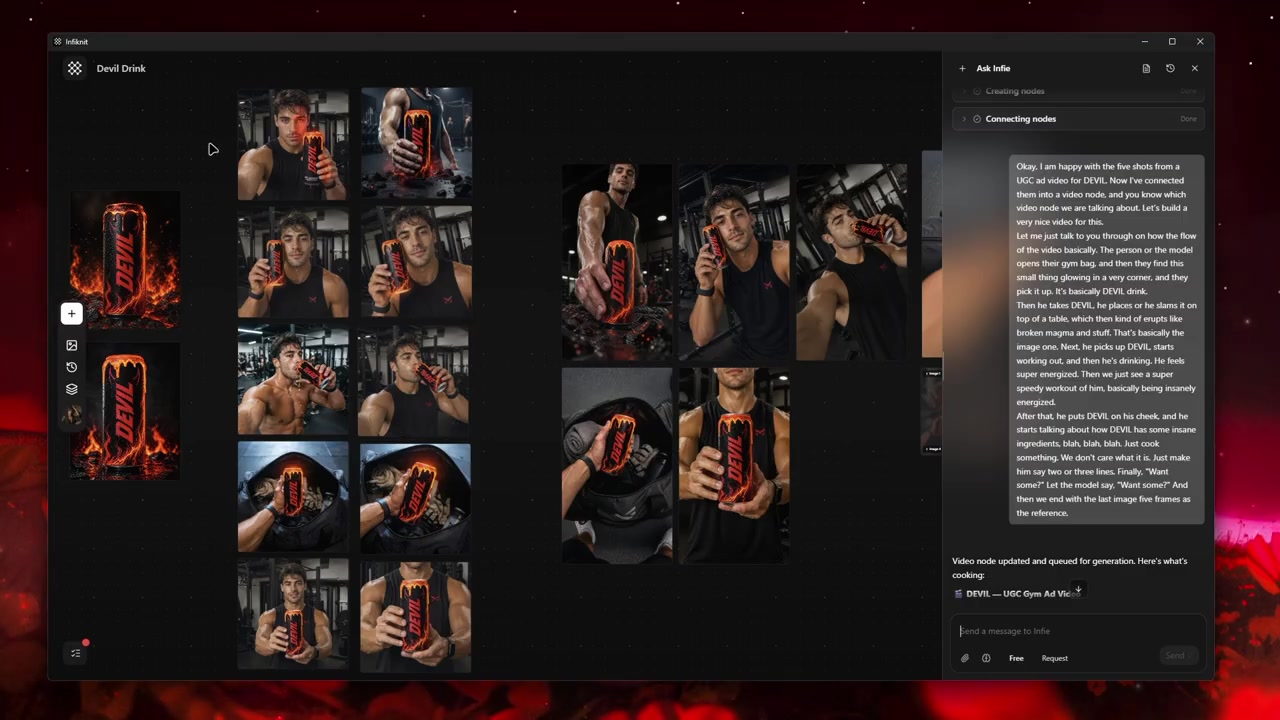
When the edit crosses media types, record the handoff explicitly: source still, selected frame, output clip, and the next intended use. An Infiknit project shows why separate product, character, and framing references make later image and video decisions easier to inspect.
Decisions to record before generation
| Decision | Review question | Canvas evidence |
|---|---|---|
| Decision | Question to answer | Evidence to leave on the canvas |
| --- | --- | --- |
| Source | Which file or accepted frame is the baseline? | original media, version/date, and intended use |
| Scope | What may change, and what must not? | mask, crop, trim range, or fixed identity note |
| Acceptance | What would make this candidate usable? | one observable pass condition, not “looks better” |
| Handoff | What will the next step consume? | named output and required format or frame |
| Review | Who checked the boundary and when? | selected candidate plus a short decision note |
The selected provider is part of the record, but it is not the acceptance condition. Check the controls currently enabled in Infiknit—input type, reference support, duration, and resolution—then compare the output against the source. A model can produce a polished result that still fails the one boundary the edit was meant to protect.
Worked example
Suppose a product clip shows the correct package but begins with three seconds of an empty counter. Keep the original clip, mark the in-point after the first useful movement, and render a trim branch. Review the opening frame, the first action, and the new endpoint. If the trim removes the handoff needed by the next shot, move the in-point rather than generating a replacement.
Now suppose the same clip ends with the package in a stable front-facing pose. Extract or select that final frame, attach it to a continuation instruction, and state that the label, camera height, and hand position must carry forward. Generate a short continuation, compare its first frame with the source endpoint, and keep it as a separate branch. This sequence makes the edit legible: the original proves context, the trim proves timing, and the continuation proves the next creative decision.
For a still, use the same discipline with a mask. Keep the unedited source visible, describe the one region to change, and check the mask edge at full size. If the product shape changes outside the mask, reject the candidate and narrow the scope. Do not flatten the accepted result over the original; the source is still needed for a later crop, frame extraction, or reference-led video pass.
Quality-control checklist
- Write the desired outcome in plain language.
- Keep the original source beside every derivative.
- Name nodes by responsibility rather than automatic ID.
- Change one major variable at a time.
- Verify model support for every connected input.
- Review product, character, text, and brand details at full size.
- Save references only after human approval.
- Record which candidate was accepted and why.
- Keep failed outputs when they explain a boundary.
- Save a Blueprint only after the graph works.
Record measurable settings such as 1080p resolution or 24 fps when the media type supports them.
Failure modes and honest limits
Frame extraction needs a supported local-media path. Treat the selected frame as a named handoff and keep the original clip beside it. If the frame is not available in the current tool surface, stop at the source and record the required operation instead of pretending a generated still is equivalent.
Image edits do not replace pixel-level review. A clean thumbnail can hide a changed logo, hand, or mask edge. Inspect the candidate at full size and compare it with the untouched source before creating downstream media.
Audio and video timing are separate decisions. A visually correct trim can leave an awkward sound cut. Review the audio boundary independently and keep the timing note with the video branch.
A continuation inherits the endpoint. If the last frame is blurred, cropped, or ambiguous, repair or replace that source before asking for more motion. A longer prompt cannot recover a missing visual handoff.
How Infiknit supports the method
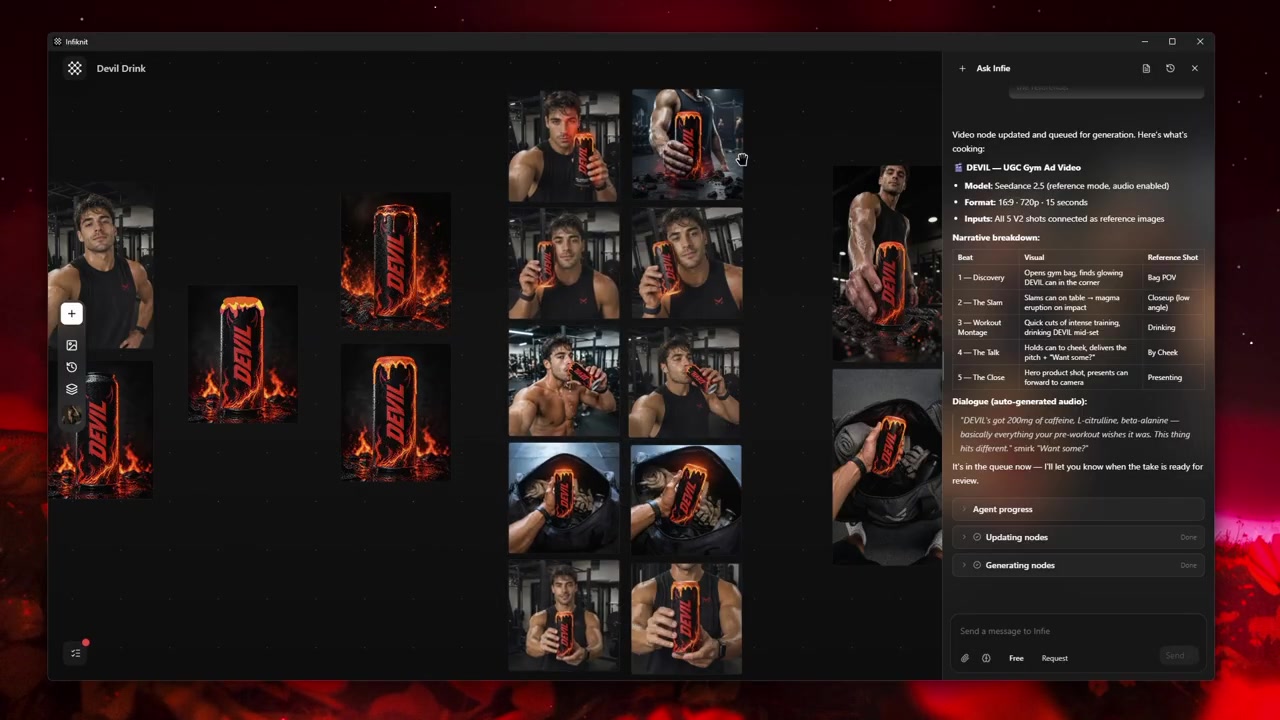
Infiknit keeps working evidence for AI image and video editing in the canvas. Projects preserve nodes, groups, viewport state, titles, and durable media references. Generated or uploaded media can become downstream inputs. Style, Character, Product, and Background assets can return as reference nodes. Eligible Image, Video, and Video Trim nodes can run directly or through a dependency graph.
The canvas preserves the media source, typed operation, candidate, and review state as separate evidence. Keep image and video branches visible and use the supported controls for the operation at hand; a selected frame or trim range should remain identifiable when it becomes the input to another branch. The rendered candidate and its source are the proof that the edit is ready for the next decision.
FAQ
How many nodes should an image or video edit use?
Use only the nodes needed to show the source, the requested operation, the candidate, and the review decision. A trim may need four; a reference-led continuation may need an additional selected frame and handoff note. Add a branch when the edit question changes, not to satisfy a fixed node count.
How can I tell whether an edit changed too much?
Compare the candidate with the untouched source at full size, focusing on the mask edge, identity, text, product geometry, and lighting. If more than the requested region changed, narrow the mask or repair the instruction before accepting it.
What should be saved with an accepted edit?
Keep the original, mask or trim range, edit instruction, settings, accepted output, and a short note describing why it passed. That record makes later revisions traceable.