
Create UGC-style product videos with AI
Build a reviewed UGC-style product video in Infiknit with references, image selection, image-to-video generation, and clear visual checks.
 Nia OkaforUGC & Social Editor
An AI UGC-style product video should begin with a product truth, not a persona prompt. Decide what the viewer must see, what the product can actually do, and which visual details cannot change. Then use the canvas to keep the product reference, selected framing, candidate images, video attempt, and review notes together.
Short answer: Build a product reference first, create a small set of still shots, reject the shots that break the product or the action, and only send approved frames into video generation. Treat the creator-style format as a practical production direction with a clear product story.
The 11-minute video develops a pre-workout ad concept, iterates on product imagery, turns selected frames into a short video, and shows the decisions that did not work. The point is not that every generation is usable. The point is that the work stays inspectable when the creative direction changes.
The case study: a pre-workout ad concept
The brief was deliberately narrow: make a high-energy product ad around a pre-workout can with a visible magma treatment, a gym setting, and a creator-style sequence of product moments. The product and character were created inside the project, then the can design was refined before five image directions were requested.
That order matters. A finished video cannot repair a can whose label, silhouette, or colour treatment has already drifted. The product reference is the source of truth; every framing or character reference is subordinate to it. For a real product, start with approved pack shots, the exact claims that legal or brand review has approved, and any details that may not be invented. For a concept product, mark the asset as a concept in the production record.
The recording shows a useful distinction between a good-looking candidate and a useful production asset. One early image had unconvincing hands. Another placed the can repeatedly near the character's face. A third had a composition that felt too straight. Those were not hidden. They became reasons to make a different branch.
1. Build the reference pack before writing a video prompt
Create a compact pack with separate files or nodes for the product, the person or character, the intended framing, and the hard constraints. Do not ask one image reference to carry every responsibility.
| Reference | What it protects | What may change |
|---|---|---|
| Product pack shot | logo, can shape, cap, label treatment, colours | camera distance, background, pose |
| Character reference | face, hair, wardrobe direction | pose, position, crop |
| Framing reference | camera angle, subject placement, negative space | product or character identity |
| Creative note | mood, action, proof moment, format | wording and shot order |
In the recorded project, the canvas later sends framing, person, and can references separately when regenerating the selected shots. That separation makes the feedback actionable: a reviewer can say “keep the can, change the framing” without forcing a complete re-roll.
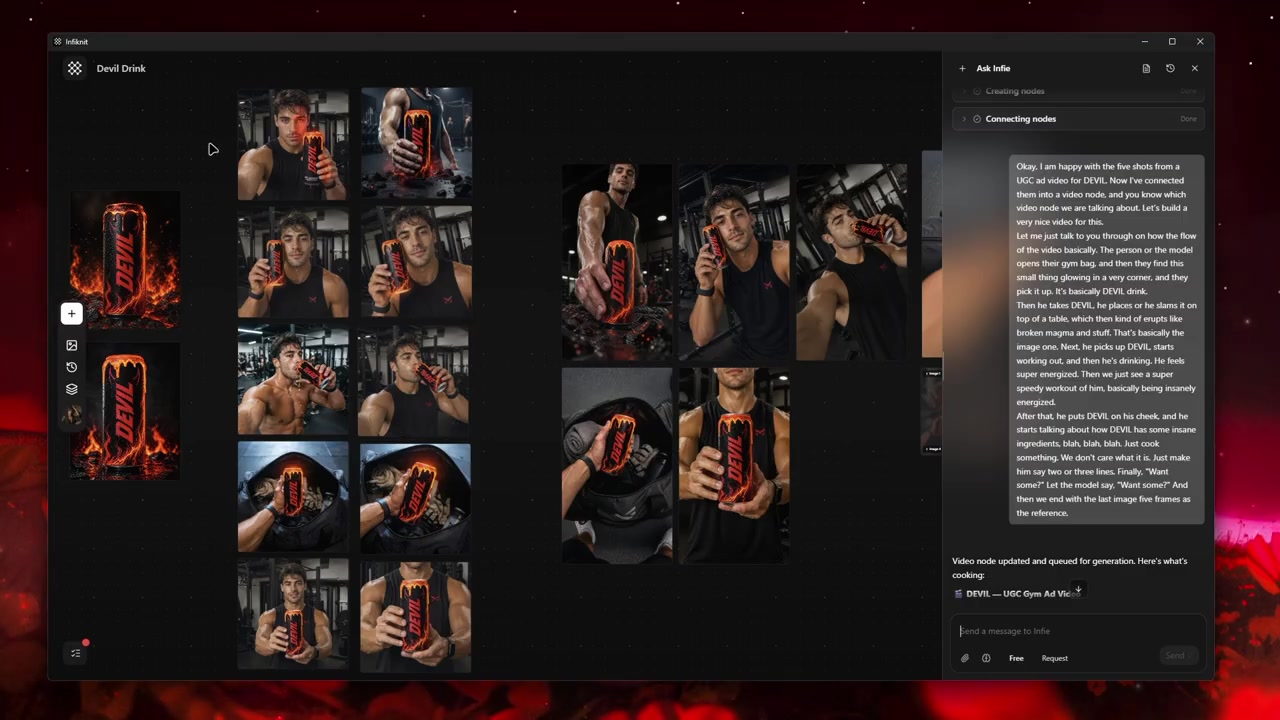
The project keeps the creative brief and individual references visible before the later image pass. Watch the video.
For product photography that needs more time before motion, use the related guide on keeping a product consistent across UGC variations. If the challenge is the product image itself, begin with consistent AI product photography rather than jumping directly to video.
2. Generate still shots with one job each
The five-shot batch in the video was a discovery pass, not the final ad. Each candidate gave the reviewer something specific to evaluate: a hand placement, a gym-bag moment, a close product view, a character framing, or an angle to reuse later.
Write a one-sentence acceptance condition for each shot. For example:
- “The can is legible while a hand places it on the bench.”
- “The person is secondary; the product is the subject.”
- “The opening leaves room for an on-screen hook.”
- “The action can be understood with sound off.”
This is more reliable than asking for “a cinematic UGC ad” and trying to judge five unrelated outputs afterward. It also creates a practical production board: the creator knows why a shot exists, and the reviewer knows what failure looks like.
For a wider campaign, connect this shot list to the campaign's actual message and channels in AI visual content creation for marketing campaigns. Keep the UGC video as one deliverable, not the entire campaign strategy.
3. Reject the wrong thing, not the entire attempt
The useful part of the video is the explicit rejection process. At roughly 2:10, it identifies weak hands and repetitive can-to-face compositions. Around 2:45, a candidate is rotated to create a more deliberate angle. Around 3:10, a prompt improvement attempts to correct how the can sits in the image. Around 3:50, the crop moves into the product instead of preserving an unnecessary character shot.
That review can be written as a short table alongside every candidate:
| Candidate | Keep | Change | Next action |
|---|---|---|---|
| Hand placement | energy and lighting | fingers and product grip | regenerate from the product reference |
| Straight gym-bag shot | bag context | camera angle | crop and rotate a framing reference |
| Character close-up | wardrobe and setting | product prominence | create a product-led crop |
| Drinking shot | action and can position | aspect ratio | adapt framing for the intended delivery format |
Do not turn this into a blanket claim that AI can make hands or product actions accurate. It cannot guarantee either. Review the physical action at full size and reject it when the viewer would notice the inconsistency.
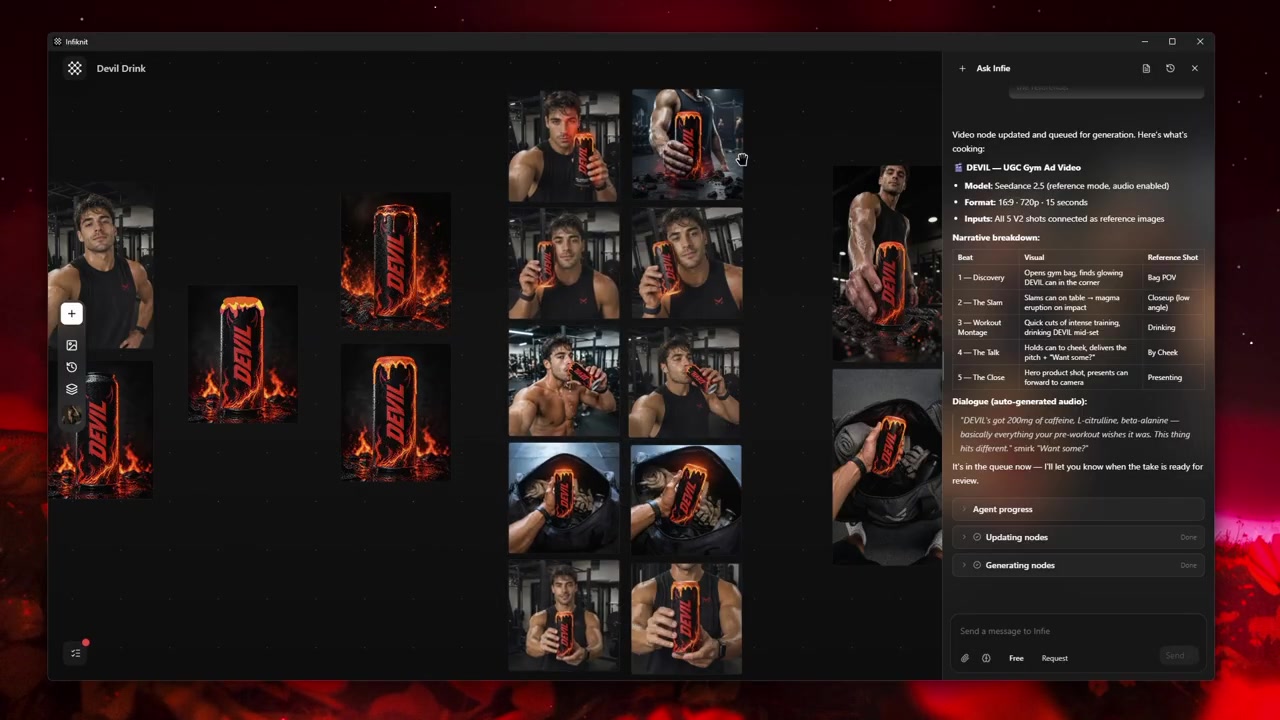
Image candidates are compared and revised before the project moves to video. Watch the video.
4. Regenerate from the approved decisions
Once the project had a set of preferred framing directions, the agent used them as references for a new run. The resulting request separated the framing image, character image, and product image. That is the central practical lesson in the video: preserve the decision you already trust, then ask the next generation to solve only the remaining problem.
The walkthrough names an OpenAI image model as the image-generation step. Model availability and controls change, so check the connected provider in the current application before planning production. OpenAI's current image-generation documentation also distinguishes between generation and editing workflows, which is why an approved source image and a targeted edit should not be treated as the same task. OpenAI image-generation guide
Use reference-image video creation when the still has already earned approval. Use editing generated images with references and masks when the image needs a focused correction before it becomes a motion source.
5. Convert selected frames into motion last
At about 8:49 in the recording, the project moves into a video node after the still-image selection. The demonstrated request is a 16:9, 720p, 15-second output. Those settings describe that example; they are not a universal recommendation. Choose duration and format from the actual placement: a paid placement, product page, social feed, and vertical short may need different framing and pacing.
Before generating motion, record:
- The approved start image and its product reference.
- The one action that must happen.
- The action that must not happen.
- The endpoint or cut point.
- The output format and intended placement.
Keep the action simple. Lift, turn, place, open, point, or take one sip are easier to inspect than a sequence of unrelated movements. If the result changes the can, the hand, or the physical action, go back to the approved still. Do not keep extending a flawed clip in the hope that the defect disappears.
For a planning-first version of this work, see how to storyboard a UGC video before generation. For short-form pacing and creator presentation, use planning creator-style short-form videos.
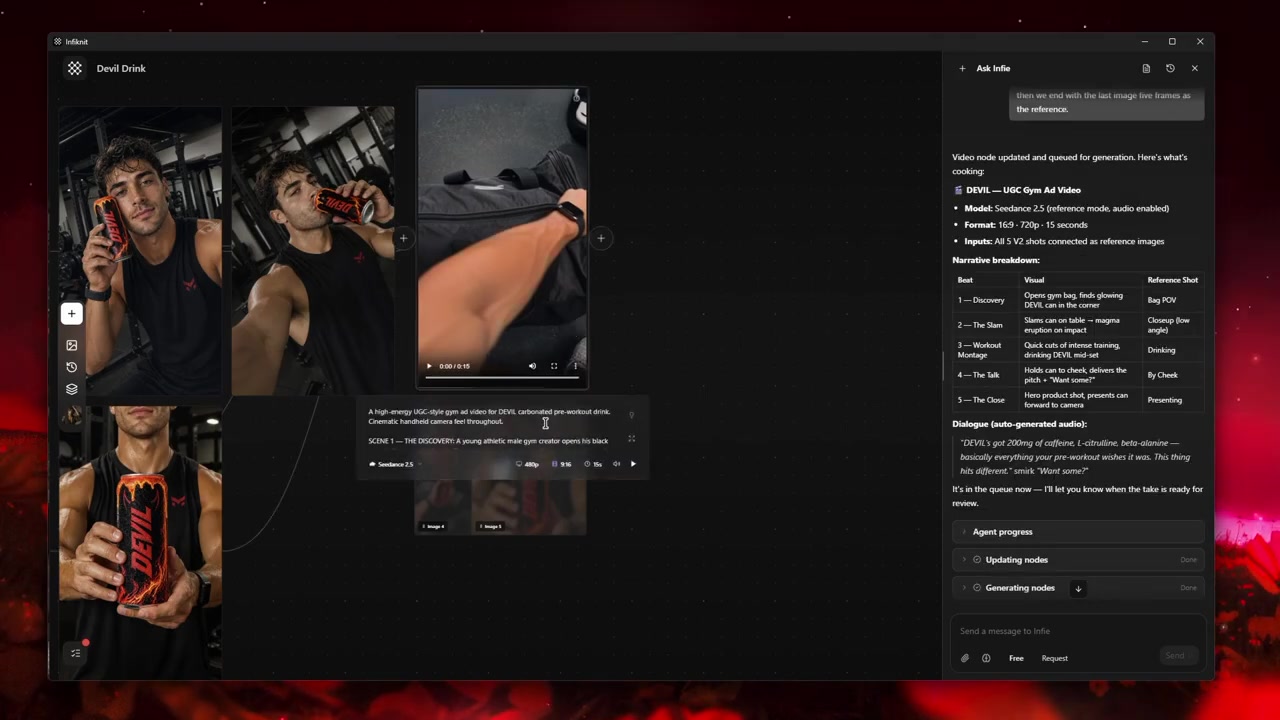
The approved project progresses from selected images to a video-output branch. Watch the video.
What this workflow does and does not prove
The recording shows Infiknit holding references, image iterations, manual edits, and a video-generation branch in one visual project. It is a concrete example of the project structure behind this guide: separate sources, deliberate image selection, and a visible handoff from stills to motion.
Final production review
Before publishing a UGC-style product video, check the result once as an editor and once as the buyer who knows nothing about the project:
- Is the product identity consistent in every visible shot?
- Can a viewer understand the product action without the voiceover?
- Does the spoken or written claim match what is visible and approved?
- Does the video accidentally imply a real customer endorsement?
- Are captions, labels, and product names readable in the intended placement?
- Is the selected clip linked to its product reference and approval note?
The final output is stronger when the team can explain why each shot survived review. That evidence is reusable the next time the campaign needs a vertical cut, a new opening, or a different product moment.